Introduction
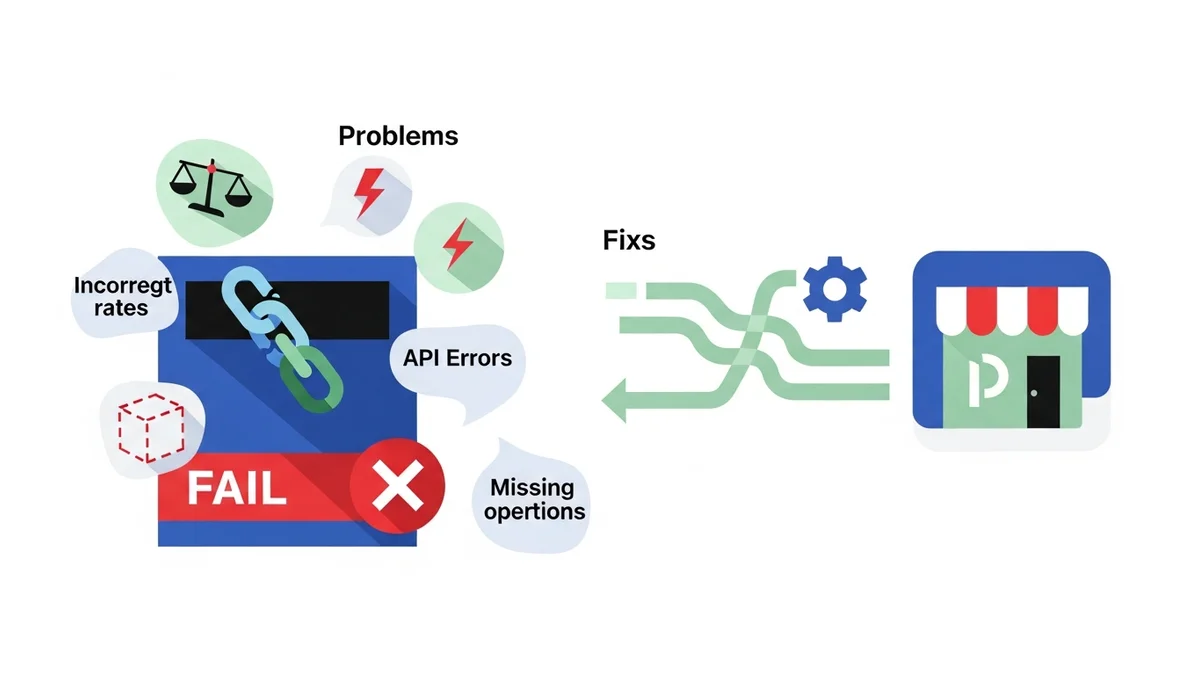
There's little more frustrating for an e-commerce store owner than customers abandoning their carts due to shipping problems. If your Australia Post shipping isn't working correctly in WooCommerce – perhaps showing "no shipping options available" or delivering unexpected rates – you're not alone. These issues can stem from a variety of causes, from simple configuration oversights to complex API communication failures.
This guide will walk you through a systematic troubleshooting process to diagnose and fix the most common Australia Post shipping problems in your WooCommerce store. We'll cover everything from basic settings to advanced API considerations, helping you get your shipping back on track and ensuring a smooth checkout experience for your Australian customers.
Understanding the Problem: Why is Australia Post Shipping Failing?
WooCommerce shipping plugins, especially those integrating with external carriers like Australia Post, rely on a chain of interconnected systems to function. Your store sends product and customer address data to the Australia Post API, which then calculates and returns shipping rates. Any break in this chain can lead to problems.
Common culprits include incorrect plugin settings, outdated software, conflicts with other plugins, server-side issues, or external factors like Australia Post API outages or your plugin using a retired endpoint. Identifying the specific cause is the first step towards a lasting solution.
Common Symptoms of Australia Post Shipping Issues
Before diving into fixes, let's identify what a malfunctioning Australia Post shipping setup might look like:
- "No shipping options available" at checkout: This is perhaps the most common and critical symptom, leading directly to abandoned carts.
- Incorrect or unexpectedly high/low rates: Customers see rates that don't make sense, or rates that are wildly different from what they expect.
- Checkout spinning indefinitely or showing generic errors: The shipping calculation process hangs or fails without a clear error message.
- Specific error messages: You might see messages like "Australia Post API error," "Invalid Postcode," or other technical details in your checkout or debug logs.
- Inconsistent rates: Shipping rates appear for some customers or products but not others, or vary inexplicably between attempts.
Troubleshooting Step-by-Step: Diagnosing and Fixing Australia Post Shipping Problems
Let's systematically work through the potential causes and solutions for your Australia Post shipping woes.
1. Basic Setup & Configuration Checks
Many issues arise from simple setup errors. Start here before moving to more complex diagnostics.
Is Your Plugin Active & Updated?
Ensure the Australia Post Shipping Method for WooCommerce plugin (or your chosen alternative for Australia Post integration) is installed, active, and up-to-date. Outdated plugins can have bugs or be incompatible with newer versions of WooCommerce or WordPress.
- Navigate to WordPress Admin > Plugins > Installed Plugins.
- Verify the Australia Post shipping plugin is Active.
- Check for any available updates and apply them. Always back up your site before updating.
API Key Validation
The Australia Post shipping plugin communicates with Australia Post's Postage Assessment Calculator (PAC) API using your unique API key and, sometimes, an API secret. Incorrect or expired keys are a frequent cause of failure.
- Go to WooCommerce > Settings > Shipping > Australia Post (or similar path depending on your plugin).
- Double-check your API Key and API Secret (if applicable). These must exactly match the credentials provided by Australia Post when you registered for their developer program.
- Ensure there are no extra spaces before or after the keys.
- If you suspect your key is invalid or expired, log into your Australia Post developer account and generate a new one, then update it in your WooCommerce settings.
Shipping Zones & Locations
WooCommerce uses shipping zones to determine where your shipping methods apply. If your Australia Post method isn't assigned to the correct zones, it won't show up for customers.
- Go to WooCommerce > Settings > Shipping > Shipping Zones.
- Ensure you have a shipping zone that covers Australia.
- Within that zone, confirm your Australia Post shipping method is enabled.
- Check the zone's regions: if you've limited it to specific states or postcodes, ensure the customer's address falls within those boundaries.
Product Data Accuracy
Australia Post calculates rates based on the weight and dimensions of your products. Missing or incorrect product data can lead to calculation errors or "no rates" messages.
- Review a few of your products by going to WordPress Admin > Products > All Products and editing them.
- Under the Product Data > Shipping tab, ensure Weight (kg) and Dimensions (cm) are accurately entered for all shippable products.
- Verify that WooCommerce's general dimension and weight units (WooCommerce > Settings > Products > General) match what Australia Post expects (e.g., kilograms and centimetres).
- If using shipping classes, ensure they are correctly assigned and configured within your Australia Post plugin settings.
2. Testing Your Setup
Once basic settings are verified, perform targeted tests to narrow down the problem.
Conduct a Simple Test Order
Create a test order with a straightforward scenario to rule out complex factors. For example:
- Add a single, small, lightweight product with known weight and dimensions to your cart.
- Use a common domestic delivery address, e.g., Sydney to Melbourne (NSW 2000 to VIC 3000).
- Proceed to checkout and see if Australia Post rates appear. If they do, the problem might be specific to certain products, addresses, or international shipping.
Isolate the Problem
Determine if the issue is global or specific:
- All products vs. specific products: Does the issue occur for every product, or only large/heavy items, or items from certain shipping classes?
- Domestic vs. international: Do rates appear for Australian addresses but not for overseas ones? This points to international shipping settings or restrictions.
- Specific locations: Does it fail only for remote postcodes or specific states? Check your shipping zone configurations.
Temporarily Disable Other Plugins
Plugin conflicts are a common source of unexpected behaviour in WooCommerce. Temporarily deactivate all non-essential plugins except WooCommerce and your Australia Post shipping plugin, then re-test.
- Go to WordPress Admin > Plugins > Installed Plugins.
- Select all plugins except WooCommerce and your Australia Post plugin, then choose "Deactivate" from the bulk actions menu.
- Retest your checkout. If shipping works, reactivate plugins one by one, testing after each, until you find the conflicting plugin.
Switch to a Default Theme
Sometimes, your WordPress theme can interfere with WooCommerce functionality, especially if it includes custom checkout templates. Temporarily switch to a default WordPress theme like Storefront or Twenty Twenty-Four.
- Go to WordPress Admin > Appearance > Themes.
- Activate a default theme.
- Retest your checkout. If shipping works, the issue is with your theme, and you may need to contact your theme developer.
3. Advanced Configuration & API Issues
If basic checks and testing don't resolve the issue, delve deeper into plugin-specific settings and external API dependencies.
Australia Post Plugin Specific Settings
Your Australia Post plugin likely has various settings that can impact rate calculations:
- Enabled Services: Ensure the specific Australia Post services you want to offer (e.g., Parcel Post, Express Post, International Standard) are enabled in your plugin settings.
- Parcel Packing Method: Different plugins offer various ways to pack items (e.g., "Pack items individually," "Pack into boxes with weight and dimensions"). Experiment with these settings, as an incorrect method can lead to no rates or inflated costs.
- Debug Mode: Many plugins include a debug mode. Enable it to see detailed API request and response data, often displayed directly on the cart/checkout page or in WooCommerce System Status logs. This can provide crucial clues, such as specific error codes from the Australia Post API.
Plugin Using a Retired API Endpoint
One of the most insidious problems is when your shipping plugin is configured to use an API endpoint that Australia Post has retired. The April 2026 Australia Post endpoint retirement serves as a canonical example of why monitoring is essential. Australia Post retired their old PAC API endpoint at /api/postage/, completing a transition to the current endpoint at /postage/. Australia Post had responsibly run both endpoints during the transition period, giving plugin developers time to update. However, the official Australia Post Shipping Method for WooCommerce plugin, even at its most up-to-date version, wasn't updated to use the current endpoint. When the old endpoint was retired, shipping rate calculations failed for many stores. Sauce Code identified the root cause and notified the plugin developers, prompting the fix.
This is precisely where a tool like WooCommerce Shipping Monitor Pro becomes invaluable. It proactively monitors the external API endpoints your Australia Post shipping plugin depends on. If the endpoint becomes unreachable, you'll know immediately.
- Instant Alerts: Instead of discovering the problem from customer complaints, WooCommerce Shipping Monitor Pro sends you an email alert within minutes of an API connectivity issue. This could be due to a retired endpoint, an outage, or an HTTP error.
- Last-Resort Fallback: As a safety net, the plugin attempts to cycle through previously known, working API endpoints. In situations like April 2026, where the plugin was using a retired endpoint but an alternative was available. This fallback could keep your checkout operational, buying you critical time to apply a permanent fix.
- Proactive Health Checks: The plugin runs scheduled health checks against the Australia Post API endpoint using lightweight queries. This means problems are often detected and alerted long before a customer even attempts checkout, even during off-peak hours.
- Detailed Logging: Every health check, alert, and fallback attempt is logged, giving you a clear history of API performance and helping you understand exactly when and why an issue occurred.
Without such monitoring, identifying when your plugin is using a retired endpoint can be incredibly difficult, often requiring extensive technical investigation or waiting for customer complaints.
Server Environment Checks
Your web hosting environment plays a crucial role in API communication. Ensure your server meets WooCommerce and Australia Post plugin requirements.
- cURL and SSL: The plugin uses cURL to make secure (SSL) requests to the Australia Post API. Ensure cURL is enabled and your server has a valid SSL certificate.
- PHP Version and Memory Limit: Check that your PHP version is compatible with your WooCommerce and Australia Post plugins (generally PHP 7.4 or higher is recommended). Ensure your PHP memory limit is sufficient (e.g., 256MB or 512MB). You can often find this information under WooCommerce > Status > System Status.
- Firewall Issues: Rarely, a server firewall might block outgoing connections to the Australia Post API. If debug logs show connection timeouts, check with your hosting provider.
4. Addressing Specific Error Messages
Sometimes, the error message itself provides the best clue.
"No shipping options available for [address]"
This is a catch-all message but usually points to one of the following:
- No matching shipping zone: As discussed, ensure the customer's address falls within a shipping zone that has Australia Post enabled.
- Product data issues: Missing weight/dimensions for items in the cart.
- API key problems: Invalid credentials preventing successful rate requests.
- All services disabled: No Australia Post services (e.g., Parcel Post) are enabled in your plugin settings.
- API connectivity issue: The API is unreachable, either due to an outage or your plugin using a retired endpoint. This is where WooCommerce Shipping Monitor Pro would send an "All Endpoints Failing" alert.
"Australia Post API Error: [Specific Code/Message]"
This is more helpful. The error code or message (e.g., "400 Bad Request," "500 Internal Server Error," "Invalid Postcode") indicates a problem with the data sent to Australia Post or an issue on their end. Look up the specific error code on Australia Post's developer documentation, or consult your plugin's support documentation. The debug logs from your Australia Post plugin are essential here.
"Invalid Postcode/Suburb Combination"
This typically means the customer entered an incorrect postcode for their suburb, or vice-versa. While your plugin should validate this, it's worth checking if the issue persists with known valid combinations. Ensure the WooCommerce checkout fields are correctly configured for address validation.
5. What to Do When All Else Fails
If you've exhausted all troubleshooting steps and Australia Post shipping is still not working, it's time for a safety net and external help.
Enable a Flat Rate Fallback
To prevent further abandoned carts, immediately enable a basic flat-rate shipping method in WooCommerce as a temporary solution. This ensures customers can still complete their purchases, even if Australia Post rates aren't available.
- Go to WooCommerce > Settings > Shipping > Shipping Zones.
- Select your Australia shipping zone.
- Click "Add shipping method" and choose "Flat rate." Configure a reasonable fallback cost.
If you're using WooCommerce Shipping Monitor Pro, it will alert you if all known Australia Post API endpoints are unreachable, explicitly indicating when a flat-rate fallback is necessary. This gives you the information you need to make an informed decision quickly.
Check Australia Post Service Status
Visit the official Australia Post developer portal or their general service status page. They often post announcements regarding API outages or planned maintenance. This can confirm if the issue is widespread and beyond your control.
Contact Support
If you've followed all steps and the issue persists:
- Contact your Australia Post shipping plugin developer: They are best equipped to troubleshoot issues specific to their integration. Provide them with your WooCommerce System Status report and any debug logs.
- Contact your hosting provider: If you suspect server-side issues (cURL, firewall, PHP settings), your host can investigate.
- Contact Australia Post developer support: If all signs point to an issue with the Australia Post API itself, reach out to their developer support channel.
Preventing Future Australia Post Shipping Problems
Proactive measures are key to maintaining a reliable shipping setup and avoiding future disruptions.
- Regular Updates: Keep WooCommerce, your WordPress theme, and all plugins (especially your Australia Post Shipping Method for WooCommerce plugin) updated to their latest versions. This ensures you have the latest bug fixes and compatibility improvements. However, as April 2026 showed, even the latest version may not be current with carrier endpoint changes, which is why monitoring is essential.
- Monitor Product Data: Periodically review your product inventory to ensure all shippable items have accurate weight and dimension data. Implement processes for new product listings to include this information from the outset.
- Proactive Monitoring with WooCommerce Shipping Monitor Pro: This plugin is designed specifically to prevent you from being caught off guard by shipping API connectivity issues. It provides:
- Immediate email alerts: You'll know within minutes, not hours or days, if Australia Post shipping rates are failing due to an unreachable endpoint.
- Fallback attempts: It acts as a safety net, trying previously known API endpoints to keep your checkout working if the primary one fails.
- Scheduled health checks: The plugin constantly pings the Australia Post API, catching issues proactively before customers encounter them.
- Detailed event logs: A full history of API checks, failures, and recoveries helps you understand patterns and respond effectively.
By implementing a robust monitoring solution like WooCommerce Shipping Monitor Pro, you can transform your approach from reactive firefighting to proactive management, safeguarding your sales and customer experience.
Related Articles
Continue your learning with these related resources:
- The Australian Store Owner's Comprehensive Guide to Australia Post Shipping on WooCommerce (Comprehensive Guide)
- Australia Post Shipping Rates Not Showing at Checkout? Check These 5 Things
- Common Australia Post WooCommerce Problems and Their Fixes
- What the April 2026 Australia Post Endpoint Retirement Meant for Your WooCommerce Store
- Will Your Shipping Plugin Keep Up with Carrier API Updates?
- Lessons Australian Store Owners Learned From the April 2026 Shipping Plugin Incident
Conclusion
Troubleshooting Australia Post shipping issues in WooCommerce can be a detailed process, but by systematically working through configuration checks, testing, and advanced diagnostics, you can often pinpoint and resolve the problem. Remember that API dependencies are external, and proactive monitoring with tools like WooCommerce Shipping Monitor Pro is crucial for detecting when your plugin can no longer reach the carrier's API, whether due to an outage or a retired endpoint. By taking these steps, you can ensure your customers consistently receive accurate shipping rates and enjoy a seamless checkout experience.