Introduction
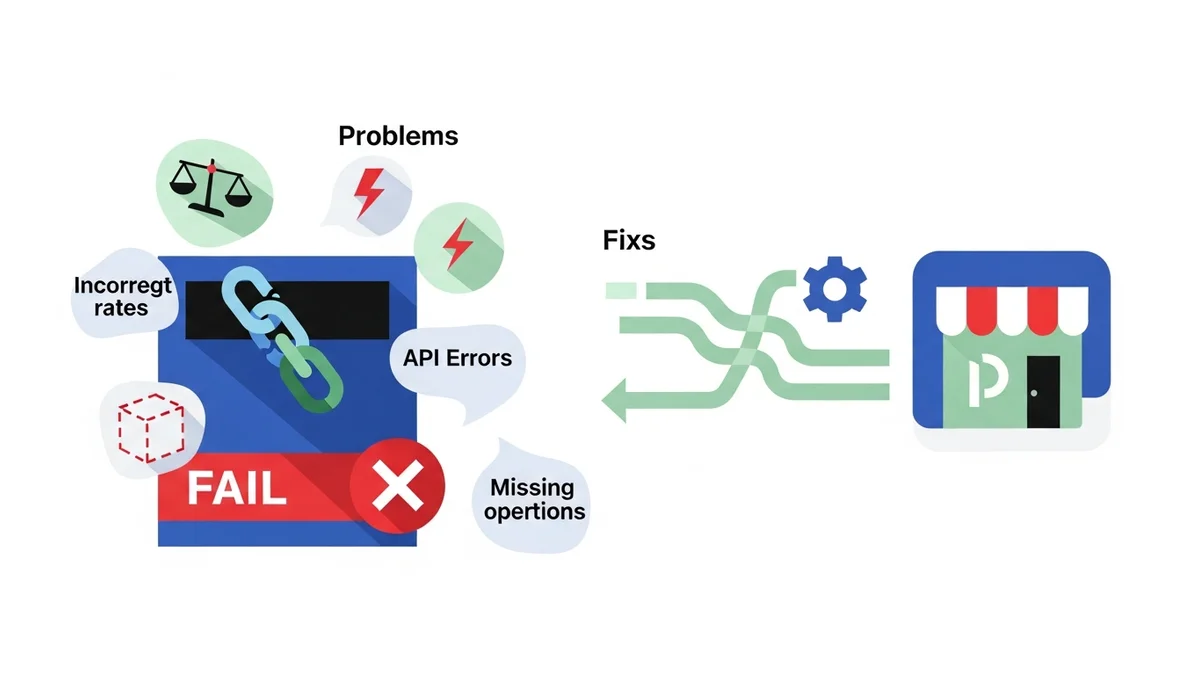
Running an e-commerce store with WooCommerce means ensuring a seamless checkout experience, and reliable shipping is a cornerstone of that. For Australian businesses, Australia Post is often the go-to carrier, but integrating their services with WooCommerce can sometimes present challenges.
From rates not showing up to mysterious API errors, these issues can lead to frustrated customers and lost sales. This guide will walk you through the most common Australia Post WooCommerce problems and provide clear, actionable steps to troubleshoot and fix them.
1. Australia Post Shipping Rates Not Showing or Incorrect
One of the most frequent complaints is that Australia Post shipping rates either don't appear at all or are wildly inaccurate. This directly impacts customer trust and conversion rates.
API Key and Account Settings
Your Australia Post shipping plugin relies on an API key to communicate with Australia Post's systems. An incorrect, expired, or improperly configured API key is a common culprit for rates not showing.
- Verify Your API Key: Double-check that the API key entered in your Australia Post Shipping Method for WooCommerce plugin settings is correct and active. Ensure there are no leading or trailing spaces.
- Account Status: Log into your Australia Post developer or business account to confirm your API access is active and hasn't been suspended or limited.
- Service Permissions: Some API keys might have limited permissions. Ensure your key has access to the Postage Assessment Calculator (PAC) API for rate calculations.
Product Dimensions and Weights
Australia Post calculates shipping costs based heavily on the dimensions and weight of your packages. Incorrect product data in WooCommerce will lead to incorrect or missing rates.
- Accurate Product Data: Ensure every product has accurate weight, length, width, and height entered in its WooCommerce product data. Even small discrepancies can affect rates.
- Default Package Settings: Check your shipping plugin's default package settings. If a product lacks specific dimensions, the plugin might use these defaults, which could be unsuitable.
- Volumetric Weight: Understand that Australia Post often uses volumetric weight (calculated from dimensions) if it exceeds the actual weight. This can lead to higher-than-expected rates.
Shipping Zones and Classes
WooCommerce shipping zones and classes dictate where and how shipping methods are offered. Misconfigurations here can prevent Australia Post rates from appearing for certain customers.
- Correct Shipping Zones: Ensure your Australia Post shipping method is enabled within the correct WooCommerce shipping zones. For instance, if you only ship domestically, ensure it's not trying to calculate for international zones.
- Shipping Classes: If you use shipping classes for specific product types, verify that your Australia Post plugin settings correctly handle these classes, or that no class-specific rules are inadvertently blocking rates.
- No Other Methods: Sometimes, another shipping method with a higher priority or incorrect setup can prevent Australia Post rates from being displayed. Temporarily disable other methods to test.
Cache Issues
Caching can significantly speed up your website, but outdated cache can sometimes interfere with real-time shipping rate calculations.
- Clear Caches: After making any changes to your shipping settings, always clear your WordPress cache (if using a plugin like WP Rocket, LiteSpeed Cache, etc.), browser cache, and any server-side caching.
- Object Cache: If you're using an object cache (e.g., Redis, Memcached), ensure it's not holding onto old shipping data. Clearing it can often resolve stale rate issues.
2. "No Shipping Options Available" Error at Checkout
This generic error message is a common pain point and often indicates that no eligible shipping methods, including Australia Post, could be found for the customer's cart and address.
Geographical Restrictions
Australia Post services have geographical limitations, and your WooCommerce settings must align with these.
- Shipping Zone Mismatch: The customer's address might fall outside any shipping zones where Australia Post is enabled. Verify your WooCommerce shipping zones cover the customer's location.
- International Service Availability: If shipping internationally, ensure Australia Post offers services to the specific country. Some countries may have restrictions or require specific customs declarations.
- Postcode Validation: Incorrect or non-existent postcodes can prevent rate calculations. Ensure the customer's postcode is valid for Australia Post services.
Minimum/Maximum Package Constraints
Australia Post has specific limits on package size and weight. If a customer's cart exceeds these, no shipping options will be returned.
- Weight Limits: Check Australia Post's maximum weight limits for their services (e.g., Parcel Post, Express Post). If a total cart weight exceeds this, rates won't show.
- Dimension Limits: Similarly, if the calculated package dimensions (especially for bulky items) exceed Australia Post's maximums, no services will be offered.
- Minimum Order Requirements: Your shipping plugin or WooCommerce settings might have minimum order value or weight requirements for certain shipping methods.
API Endpoint Connectivity
The "No Shipping Options Available" error can also signal a problem with your website's ability to connect to the Australia Post API. If the API cannot be reached, no rates can be retrieved.
- Server Connectivity: Your web server might have issues reaching external Australia Post API servers. This could be due to firewall rules or temporary network problems.
- API Downtime: Australia Post's API itself might be experiencing an outage or maintenance. Check their official status pages if available.
- Plugin Using a Retired Endpoint: Carriers periodically retire old API endpoints when transitioning to new ones. In April 2026, Australia Post retired their old PAC API endpoint at
/api/postage/, completing a transition to the current endpoint at/postage/. Australia Post had responsibly run both endpoints during the transition period, giving plugin developers time to update. However, the official Australia Post Shipping Method for WooCommerce plugin, even at its most up-to-date version, wasn't updated to use the current endpoint. Sauce Code identified the root cause and notified the plugin developers, prompting the fix. The WooCommerce Shipping Monitor Pro plugin is specifically designed to detect when your plugin can no longer reach the configured endpoint and alert you immediately, even attempting to use previously known working endpoints as a temporary safety net.
Plugin Conflicts
Other plugins, especially those related to shipping, checkout, or cart functionality, can sometimes conflict with your Australia Post shipping plugin.
- Deactivate Conflicting Plugins: Temporarily deactivate other plugins one by one to identify any conflicts. This is often best done in a staging environment.
- Theme Conflicts: Less common, but a theme conflict could also interfere. Switch to a default WordPress theme (like Storefront) temporarily to rule this out.
3. Australia Post API Errors (e.g., 500, 401, 403)
These error codes indicate that your WooCommerce store successfully connected to Australia Post's server, but the API encountered a problem processing the request. This means your "auspost shipping not calculating" issue is directly API-related.
API Key Validation (401/403 Errors)
A 401 (Unauthorized) or 403 (Forbidden) error almost always points to an issue with your API credentials.
- Invalid API Key: Your API key is likely incorrect, expired, or hasn't been properly activated. Re-enter and double-check your API key in your plugin settings.
- Incorrect Permissions: The API key might lack the necessary permissions to access the specific Australia Post services being requested (e.g., rate calculation).
- IP Whitelisting: Some API setups require whitelisting your server's IP address. If your IP changed or wasn't added, you'll get a permission error.
Firewall or Server Restrictions (General Connectivity)
While 4xx errors are usually API key related, server-side issues can also cause connectivity problems that manifest as API failures.
- Outbound Connection Blocks: Your web host's firewall might be blocking outbound connections to Australia Post's API servers. Contact your host to ensure the necessary ports and domains are open.
- SSL/TLS Issues: Outdated SSL/TLS libraries on your server can sometimes prevent secure communication with external APIs. Ensure your server environment is up to date.
Carrier Service Outages (5xx Errors)
5xx errors (e.g., 500 Internal Server Error, 503 Service Unavailable) typically indicate a problem on Australia Post's end.
- Australia Post Downtime: The Australia Post API might be temporarily down or experiencing high load. Check their official status page for any announcements.
- Scheduled Maintenance: Services can be unavailable during scheduled maintenance windows. These are usually announced in advance.
- WooCommerce Shipping Monitor Pro: This plugin proactively runs health checks against the Australia Post PAC API. If the API returns a 5xx error during a health check or a checkout attempt, it immediately alerts you via email, providing details like the HTTP response code and error message. This means you know about carrier outages within minutes, not when customers complain.
Plugin Using a Retired Endpoint
As mentioned earlier, carriers can retire old API endpoints. If your plugin is configured to use a retired endpoint, it will fail.
- Plugin Updates: Ensure your Australia Post Shipping Method for WooCommerce plugin is always updated to the latest version. Developers release updates to accommodate endpoint changes. However, as April 2026 showed, even the latest version may not be current with carrier changes.
- WooCommerce Shipping Monitor Pro: This plugin is specifically designed for such scenarios. When Australia Post retired their old endpoint in April 2026, WooCommerce Shipping Monitor Pro could detect the connectivity failure and try a previously known alternate path. If a fallback endpoint works, your checkout continues to function, buying you critical time to investigate and apply a proper fix (like waiting for a plugin update). If all known endpoints fail, you're immediately alerted.
4. Shipping Rates Not Updating or Showing Old Information
If your Australia Post rates appear to be static, showing old prices even after Australia Post or your plugin has updated, caching is often the culprit.
Caching on Your Site
Aggressive caching can prevent your WooCommerce store from fetching real-time rates from Australia Post.
- WooCommerce Transients: WooCommerce itself uses transients to cache certain data, including shipping rates, to speed up performance. These can sometimes become stale.
- Plugin-Specific Caching: Your Australia Post shipping plugin might have its own internal caching mechanism for rates. Check its settings for options to clear or disable this.
- Server and CDN Caching: Ensure your hosting provider's server-side caching or any Content Delivery Network (CDN) you use is not caching dynamic checkout pages or API responses.
- How to Fix: Manually clear all levels of cache (WordPress, plugin, server, browser). Consider temporarily disabling aggressive caching plugins during testing.
Australia Post API Rate Updates
Australia Post periodically updates its pricing. Your plugin should reflect these changes once its data cache is refreshed.
- Official Rate Changes: Be aware of Australia Post's official rate changes. Your plugin should automatically fetch these new rates from the API.
- Plugin Compatibility: Ensure your Australia Post Shipping Method for WooCommerce plugin is compatible with the latest API versions that reflect current rates.
Plugin Updates
Older versions of your Australia Post shipping plugin might not be configured to fetch the latest rates or might have bugs.
- Keep Plugins Updated: Regularly update your Australia Post Shipping Method for WooCommerce plugin to its latest version. Developers push updates to fix bugs, add features, and ensure compatibility with API changes.
- WooCommerce and WordPress Updates: Ensure your core WooCommerce and WordPress installations are also up to date. Incompatibilities can sometimes cause issues.
5. International Shipping Issues with Australia Post
International shipping adds layers of complexity, and Australia Post's services for overseas destinations have specific requirements that can cause problems if not met.
Customs Information Requirements
Accurate customs declarations are mandatory for all international shipments. Missing or incorrect data will prevent labels from being generated or cause delays.
- HS Codes: Ensure your products have Harmonized System (HS) codes configured if your plugin supports it. This speeds up customs clearance.
- Product Descriptions: Provide clear, detailed product descriptions for customs forms. Generic descriptions can lead to holds.
- Country of Origin: Correctly specify the country of origin for each product.
- Declared Value: Accurately declare the value of goods in the shipment.
Service Availability by Country
Not all Australia Post international services are available to every country, and service levels (e.g., Express, Standard) can vary.
- Check Australia Post Website: Refer to the official Australia Post website for a list of countries they ship to and the specific services available for each.
- WooCommerce Shipping Zones: Double-check that your international shipping zones in WooCommerce are correctly configured for Australia Post services.
Declared Value and Prohibited Items
Certain items are prohibited or restricted from international shipping, and high-value shipments may require additional documentation.
- Prohibited/Restricted Items: Be aware of items that are prohibited or restricted by Australia Post or the destination country. Shipping such items will result in rejection or confiscation.
- Insurance and Declared Value: For high-value items, ensure you are declaring the correct value and considering shipping insurance, as these can affect rate calculations and service availability.
6. Plugin Conflicts and General Instability
Even with everything configured correctly, conflicts with other plugins or an outdated environment can make your Australia Post WooCommerce integration unstable.
Theme and Plugin Conflicts
The vast ecosystem of WordPress plugins and themes means conflicts are a possibility. Two plugins trying to modify the same core WooCommerce functionality can cause issues.
- Debugging Mode: Enable WordPress debugging (
WP_DEBUGinwp-config.php) to see if any errors appear when trying to get Australia Post rates. - Staging Environment: Always test plugin and theme updates in a staging environment before deploying to live. This allows you to catch conflicts before they affect customers.
- Conflict Resolution: If a conflict is suspected, deactivate all plugins except WooCommerce and your Australia Post shipping plugin. Then, reactivate them one by one until the issue reappears.
WordPress and WooCommerce Updates
Keeping your core WordPress and WooCommerce versions updated is crucial for security and compatibility, but it can also introduce issues if other plugins aren't ready.
- Test Before Updating: Before updating core WordPress or WooCommerce, ensure your Australia Post Shipping Method for WooCommerce plugin (and all other critical plugins) explicitly states compatibility with the new versions.
- Backup: Always take a full backup of your site before performing any major updates.
Debugging Mode and Logs
When issues persist, diving into logs can provide valuable clues.
- WooCommerce Status Logs: WooCommerce has a built-in "Status" page under "WooCommerce > Status > Logs". Check here for any errors related to shipping.
- PHP Error Logs: Your server's PHP error logs can reveal deeper issues. Access these via your hosting control panel or by enabling
WP_DEBUG_LOGinwp-config.php. - Plugin-Specific Logs: Some Australia Post shipping plugins offer their own debugging or logging features. Enable these to capture detailed API request and response data.
Proactive Monitoring with WooCommerce Shipping Monitor Pro
While the above steps help you fix problems reactively, preventing them or knowing about them immediately is even better. This is where WooCommerce Shipping Monitor Pro comes into play.
This powerful plugin acts as an early warning system for your Australia Post shipping integration. It actively monitors the external API endpoints that your Australia Post Shipping Method for WooCommerce plugin relies on, specifically the PAC API.
If your plugin is using a retired endpoint, as happened in April 2026 when Australia Post retired the old /api/postage/ path, or if their service experiences an outage, your store could suddenly show "no shipping options available" at checkout. Australia Post handled that transition responsibly by running both endpoints during the transition period; the issue was that the official plugin wasn't updated to use the current endpoint, even at its latest version. Sauce Code identified the root cause and notified the plugin developers, prompting the fix. Without monitoring, you might only find out when customers complain, leading to lost sales and a poor customer experience.
WooCommerce Shipping Monitor Pro immediately alerts you via email when a problem is detected, whether during an actual checkout attempt or through its scheduled health checks. It runs lightweight tests against the Australia Post API at configurable intervals (e.g., every hour), catching issues proactively even before a customer encounters them.
As a last-resort safety net, the plugin attempts to cycle through previously known endpoints if the active one fails. In situations like April 2026, where the plugin was using a retired endpoint but an alternative was available. This fallback could keep your checkout working, buying you critical time to investigate and apply a proper fix. If all known endpoints fail, you're immediately alerted.
Every health check, alert, and fallback attempt is logged to a custom database table, providing a full event history. This means you have a clear record of when issues occurred, what type of issue it was, and how the plugin responded. With WooCommerce Shipping Monitor Pro, you're not just fixing problems; you're staying ahead of them, ensuring your Australia Post shipping always works reliably.
Related Articles
Continue your learning with these related resources:
- The Australian Store Owner's Comprehensive Guide to Australia Post Shipping on WooCommerce (Comprehensive Guide)
- Australia Post Shipping Rates Not Showing at Checkout? Check These 5 Things
- Australia Post Shipping Not Working in WooCommerce? Here's How to Fix It
- What the April 2026 Australia Post Endpoint Retirement Meant for Your WooCommerce Store
- Will Your Shipping Plugin Keep Up with Carrier API Updates?
- Lessons Australian Store Owners Learned From the April 2026 Shipping Plugin Incident
Conclusion
Troubleshooting Australia Post WooCommerce shipping issues can be complex, but by systematically addressing common problems like incorrect API keys, inaccurate product data, caching, and plugin conflicts, you can restore smooth operations. Remember to keep your plugins and core WooCommerce updated, and always test changes in a staging environment.
For truly proactive management, consider integrating a solution like WooCommerce Shipping Monitor Pro. It provides immediate alerts and a critical fallback mechanism for connectivity issues, including when your plugin is using a retired endpoint, transforming your approach from reactive problem-solving to proactive prevention. This helps ensure your customers always see accurate Australia Post shipping options, leading to a better shopping experience and more completed sales.