Introduction
As your WordPress website grows and your library of valuable resources expands, effectively managing who can access your exclusive content becomes a key challenge. Whether you're offering whitepapers, training videos, confidential documents, or premium downloads, the method you choose to grant access profoundly impacts security, user experience, and your administrative workload.
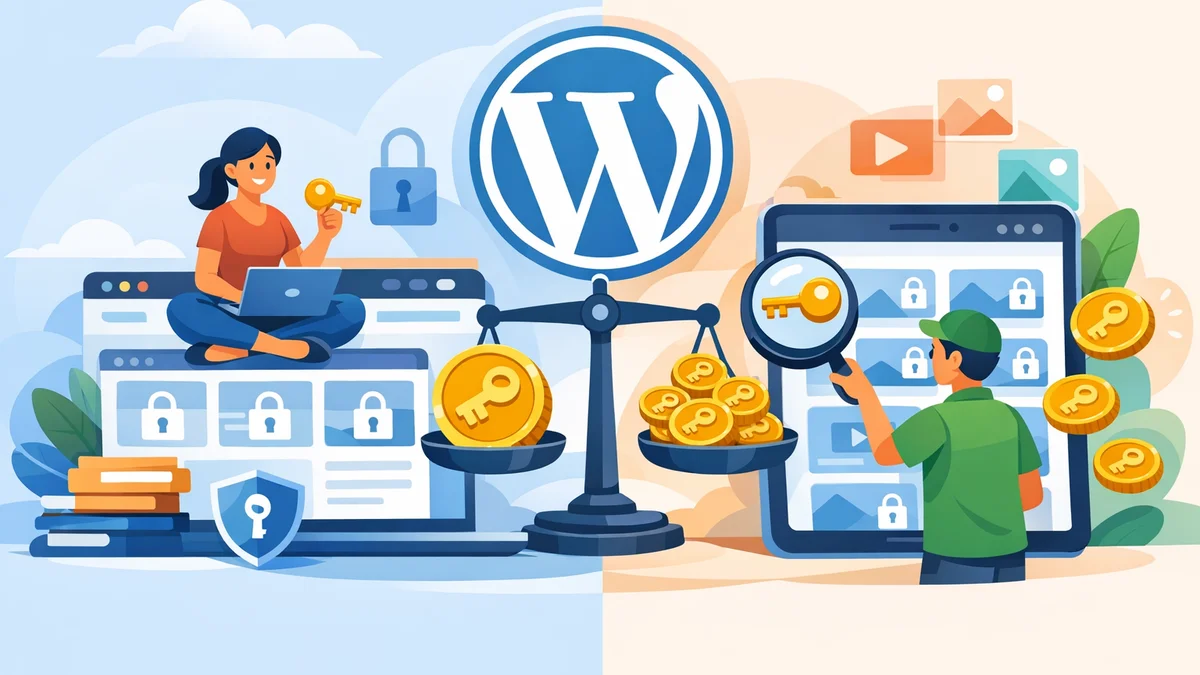
This article will delve into two primary strategies for content access: sitewide tokens and per-item tokens. Understanding the nuances of each approach is essential for small business owners looking to scale their operations efficiently while maintaining control over their digital assets. We'll explore the pros and cons, best use cases, and how tools like WordPress Gatekeeper Pro can help you implement a robust content access management system.
Understanding Access Tokens in WordPress
Before diving into the strategies, let's clarify what an access token is in the context of gated content. An access token is a unique, cryptographically signed string that grants a user permission to view, download, or stream specific protected content on your WordPress site. Instead of requiring a login or creating a user account, tokens provide a secure, temporary, or permanent key to your valuable resources.
When a visitor requests access to gated content, and an administrator approves that request, a secure token is generated and delivered to the user. This token acts as a digital pass, allowing them to bypass the content gate. WordPress Gatekeeper Pro, for instance, generates HMAC-SHA256 signed tokens, ensuring they are tamper-proof and secure, and delivers them via email, making the process smooth for both users and site owners.
Sitewide Access Tokens: The Broad Brush Approach
Sitewide access tokens offer a straightforward way to unlock multiple pieces of content with a single key. In this mode, once a user receives a sitewide token, they gain access to all currently locked content on your website, or at least all content configured to be unlocked by a sitewide token.
What They Are
A sitewide token is a single access key that, once granted to a user, provides them with permission to access all designated gated content across your entire WordPress site. Think of it as a master key to your entire resource library.
Pros of Sitewide Access
- Simplicity for Users: Users only need one token to access everything, leading to a frictionless experience, especially if they need multiple resources.
- Easy for Admins to Manage: You approve a request once, and that user has broad access. This significantly reduces the administrative burden compared to managing individual approvals for dozens of items. This is especially useful for managing many requests where bulk actions can streamline the process.
- Ideal for Membership or Client Portals: For dedicated client areas or membership sites where members should have access to a wide range of resources, a sitewide token is highly efficient.
- Efficient for Internal Use: For internal knowledge bases or company intranets, a single token simplifies access for all employees.
Cons of Sitewide Access
- Less Granular Control: You cannot easily grant access to just one specific item without automatically granting them access to everything else. This limits your ability to gate content with varying levels of sensitivity or value.
- Higher Security Risk (if compromised): If a sitewide token is shared or compromised, it means all your gated content is potentially exposed, not just a single item.
- Limited Analytics for Specific Items: While you can track overall token usage, it's harder to get detailed analytics on which specific items a user accessed, as all items are unlocked by the same token.
- Not Suitable for Lead Generation per Item: If your goal is to capture leads for each individual whitepaper or download, sitewide access doesn't provide the necessary per-item data capture.
Best Use Cases for Sitewide Access
Sitewide tokens are excellent for scenarios where broad access is the goal and content sensitivity is uniform across the library. Consider using them for:
- Membership Resource Libraries: If members pay a fee to access your entire collection of resources, a sitewide token simplifies their experience.
- Client Document Portals: When clients need access to a range of project-related files, a single token provides comprehensive access without multiple requests.
- Internal Knowledge Bases: For internal company documents, training materials, or an intranet, sitewide access ensures employees can easily find what they need.
- Training Platforms: If you offer a course with multiple video modules or downloadable resources, a sitewide token can unlock the entire course content.
When using sitewide tokens, consider setting a configurable token TTL (time-to-live) or providing unlimited access for trusted users. WordPress Gatekeeper Pro allows you to set global or per-post expiry, giving you flexibility.
Per-Item Access Tokens: Precision Control
Per-item access tokens provide a more controlled and granular approach, where each token is specifically tied to one piece of content. This means a user needing access to five different gated resources would receive five distinct tokens, each unlocking a specific item.
What They Are
A per-item token is an individual access key that grants permission to a single, specific locked resource. If you have a whitepaper, a video, and a case study, each would require its own separate token for a user to access it.
Pros of Per-Item Access
- Granular Control: You have precise control over who accesses what. You can approve a user for one whitepaper without automatically granting them access to a more sensitive report.
- Enhanced Security: If a token is compromised, only that specific piece of content is at risk, not your entire library. This is crucial for WordPress gated content at scale where different items may have different security requirements.
- Detailed Analytics: You can track specific access patterns for each item, understanding which resources are most popular, who is requesting them, and when. This provides invaluable data for lead generation and content strategy.
- Targeted Lead Generation: Each request for a specific item can be a separate lead capture opportunity, allowing you to tailor follow-up communications based on the content they accessed. This is a powerful feature for businesses using gated content for lead generation.
- Flexible Expiry: You can set different expiry times (TTL) for different items based on their importance or relevance.
Cons of Per-Item Access
- More Administrative Overhead: If users need access to many items, you might be processing numerous individual requests. However, tools like WordPress Gatekeeper Pro offer bulk actions to manage WordPress access requests efficiently, mitigating some of this overhead.
- Potentially More Complex for Users: Users might accumulate multiple tokens in their inbox if they access many different resources, which could be cumbersome without a clear system to manage them.
- Higher Volume of Tokens: Managing a large number of individual tokens for a large user base can seem daunting without a robust WordPress token management system.
Best Use Cases for Per-Item Access
Per-item tokens shine when precision, security, and detailed tracking are paramount. They are ideal for:
- Lead Generation Assets: Whitepapers, e-books, exclusive guides, or free tools where each download is a lead. You can capture user data for each specific asset.
- Premium Downloads/Content: Content that holds significant value and you want to ensure only approved individuals can access it.
- Confidential Documents: Sensitive reports, client-specific proposals, or internal documents that should only be accessible to a very select few for a limited time.
- Targeted Training Modules: If different training modules are for different audiences or at different stages, per-item access ensures only relevant users get the right content.
- Proof-of-Concept or Trial Content: Granting temporary access to a single piece of content to entice users to engage further.
For businesses focused on WordPress resource library management with a diverse range of assets, per-item tokens offer the control needed to qualify interest and manage access effectively for valuable assets.
Choosing Your Strategy: Key Considerations
Deciding between sitewide and per-item access isn't a one-size-fits-all choice. Your optimal strategy depends on several factors related to your business model, content, and audience.
Security Needs
How sensitive is your gated content? If you're distributing highly confidential client reports, per-item access offers superior protection and auditability. For general marketing materials or internal documents, sitewide access might be acceptable.
User Experience
How many gated items will your typical user need to access? If they only need one or two specific items, per-item is fine. If they need access to dozens of items as part of a membership, sitewide access provides a much smoother experience, preventing an inbox full of individual links.
Administrative Overhead
Consider your team's capacity for WordPress content access management. Sitewide tokens generally require less frequent approval actions once a user is approved. Per-item tokens, especially for high-volume content, can mean more individual requests to process. Tools like WordPress Gatekeeper Pro, however, streamline this with one-click approval/disapproval directly from email and bulk actions in the admin dashboard, making both strategies manageable.
Content Value & Purpose
What is the goal of gating your content? Is it for lead generation (per-item for specific leads), premium access (per-item for control, sitewide for membership), or internal knowledge sharing (sitewide for ease)? Align your token strategy with the strategic purpose of each content piece.
Scalability
Think about your future growth. As your resource library expands, will your chosen strategy hold up? A system that works for five gated items might become unwieldy with 50. WordPress Gatekeeper Pro is built for WordPress gated content at scale, offering features like rate limiting to prevent link-sharing abuse and robust analytics to track usage.
Many businesses find success by combining strategies. For instance, you might use sitewide tokens for your general member resources and then employ per-item tokens for exclusive, higher-value content or limited-time offers.
Managing Access at Scale with WordPress Gatekeeper Pro
Regardless of whether you choose sitewide or per-item access, or a hybrid approach, a robust plugin like WordPress Gatekeeper Pro is designed to simplify WordPress content access management. It provides the flexibility to choose your token strategy directly from its settings, allowing you to switch between per-item and sitewide modes as your needs evolve.
- Flexible Token Modes: Easily set your content to be unlocked by per-item tokens (each token for one specific resource) or sitewide tokens (one token unlocks all locked content).
- Streamlined Workflow: The built-in access request and approval workflow, complete with one-click admin approval via email and automatic secure link delivery to users, significantly reduces manual effort, even when managing many requests.
- Configurable Expiry: Set token time-to-live (TTL) globally or per-post, with options for unlimited access. Automatic expiry warning emails keep users informed, reducing support queries.
- Security Features: Protects downloads and videos without coding, stores files in a secure directory, and streams content through a proxy endpoint that validates tokens, safeguarding your intellectual property.
- Admin Dashboard: A comprehensive dashboard allows you to manage access requests, tokens, and analytics from a single place. You can approve, disapprove, or bulk-process requests, and view active, expired, and revoked tokens. This is crucial for effective WordPress token management as your library grows.
- Scalability Tools: Features like rate limiting prevent link-sharing abuse, ensuring your content remains exclusive to approved users. Per-user analytics provide insights into content consumption, helping you refine your resource library management strategy.
By centralising these functions, WordPress Gatekeeper Pro ensures that managing access to your content remains efficient and secure, even as your resource library expands to thousands of items and hundreds of users.
Practical Tips for Growing Libraries
As your WordPress resource library grows, staying organised and proactive with your access management is key.
- Regular Audits of Tokens: Periodically review active and expired tokens. Revoke access for users who no longer need it, especially for sensitive content or after a project concludes. This helps maintain security and keeps your token list manageable.
- Clear User Communication: Inform users about how access works. Explain if they receive a sitewide token or per-item links, and clearly communicate any expiry dates. This reduces confusion and support requests.
- Leverage Analytics: Utilise the analytics features in your access management plugin. Understand which content is most popular, who your most active users are, and identify any unusual access patterns. This data informs content strategy and security measures.
- Automate Where Possible: Take full advantage of automation features like automatic expiry warnings, email notifications, and bulk actions for approving or disapproving requests. Automation saves significant time as your library scales.
- Consider a Hybrid Approach: Don't feel locked into one strategy. For example, use sitewide tokens for general informational resources, but switch to per-item tokens for high-value premium content or confidential client documents. This offers both convenience and granular control where it matters most.
Related Articles
Continue your learning with these related resources:
- Gated Content on WordPress: When to Restrict Access and How to Do It Right (Comprehensive Guide)
- Revoking and Expiring Access Tokens on WordPress: When and How for Scaled Content
- Mastering Your WordPress Content Access: A Comprehensive Audit Guide
- How to Manage WordPress Access Requests in Bulk for Gated Content
- Keeping Your WordPress Resource Library Secure as Traffic Grows
- How to Set Time-Limited Access to Video Content on WordPress
Conclusion
Choosing the right token strategy for your WordPress gated content is a foundational decision that impacts your site's security, user experience, and your team's efficiency. Sitewide tokens offer simplicity and ease of management for broad access, ideal for membership sites or internal resources. Per-item tokens provide granular control and enhanced security, perfect for lead generation, premium content, or highly sensitive documents.
As your resource library scales, a