Introduction
For many small business owners, WordPress websites are central to their operations. Whether you're offering exclusive whitepapers, premium video tutorials, or confidential client documents, controlling who accesses your valuable content is crucial. Traditionally, managing these access requests involves logging into your WordPress dashboard, navigating menus, and manually approving each submission.
This process can quickly become a bottleneck, especially when you're busy running your business. Imagine a solution where you could approve or disapprove content access requests with a single click, directly from your email inbox. This article will guide you through how a streamlined, one-click email approval system, like that offered by WordPress Gatekeeper Pro, can transform your content management workflow, saving you time and enhancing security.
Why Streamline Content Access Approval?
Efficiently managing who can view your gated content offers significant advantages for small businesses. A robust content approval workflow not only saves valuable time but also enhances your overall operational security and user experience.
- Boosted Efficiency: Manual approvals are time-consuming. Streamlining this process means you can approve requests in seconds, freeing you up to focus on core business activities. This is especially vital when dealing with a high volume of requests.
- Improved Lead Qualification: When visitors submit a Native Form, they provide contact details. An efficient approval process allows you to quickly qualify leads and grant timely access, ensuring a positive first impression and keeping prospects engaged.
- Enhanced Security and Control: Gating content behind an approval process means only authorised individuals gain access. This prevents unauthorised sharing of sensitive or premium content, ensuring your valuable assets remain protected.
- Better User Experience: Prompt approval means your users aren't left waiting. A quick, seamless process from requesting access to WordPress content to receiving the secure link significantly improves their experience and satisfaction.
Understanding the WordPress Access Request Workflow
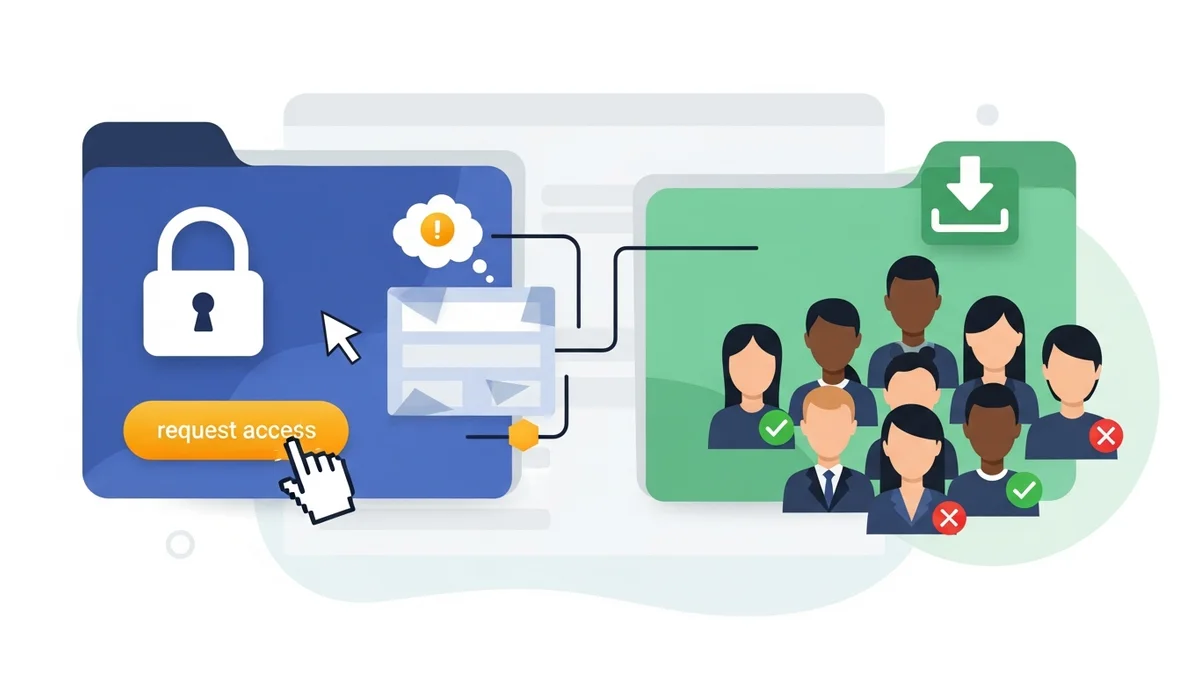
At its core, a content access workflow on WordPress involves several key stages, ensuring that only approved visitors can view or download your restricted materials. This lifecycle begins with a visitor's request and culminates in secure access to your content.
- Visitor Submits an Access Request: A user lands on a page with locked content and is presented with a Native Form. They fill in their details (typically name and email) and submit it, signalling their interest in accessing your exclusive material.
- Admin Notification: Upon submission, the site administrator receives an email notification detailing the new Access Request. This email is the gateway to the one-click approval process.
- Admin Approval: The administrator reviews the request. With a tool like Gatekeeper Pro, they can approve an Access Request for WordPress content directly from the notification email, eliminating the need to log into the WordPress dashboard.
- Secure Access Link Delivery: Once approved, the requesting user automatically receives an email containing a secure, time-limited Token. This Token grants them permission to view or download the protected content.
This entire process, when managed effectively, ensures that your valuable content is distributed securely and efficiently, maintaining control over who accesses what on your WordPress site.
Step-by-Step: Setting Up Gated Content with WordPress Gatekeeper Pro
Before you can leverage the power of one-click email approval, you need to set up your gated content using WordPress Gatekeeper Pro. This process is straightforward, allowing you to protect any file, video, or page content with ease.
Step 1: Install and Activate Gatekeeper Pro
First, ensure you have the WordPress Gatekeeper Pro plugin installed and activated on your WordPress site. Once activated, it will add a new set of tools to your dashboard, ready for content protection.
Step 2: Create or Edit Your Gated Content
Navigate to the post, page, custom post type, or WooCommerce product you wish to protect. Within the editing screen, you'll find a new "Gatekeeper Pro" meta box or section. Here, you simply tick the "Locked" checkbox. This action immediately gates the content, requiring an Access Request.
If you're protecting a file or video, you'll also attach it here. Gatekeeper Pro automatically moves these files to a secure, Protected Directory, randomises their filenames, and prevents direct URL access, ensuring they can only be accessed through an approved Token.
Step 3: Configure Your Access Request Form
Gatekeeper Pro includes a robust, Native Form that doesn't require any third-party plugins. You can customise which fields are displayed (e.g., name, email, company, phone, message) and mark them as required. This is done through the Gatekeeper Pro settings in your WordPress dashboard.
You can also enable built-in spam protection features, such as a honeypot, time-based checks, or integrate with Google reCAPTCHA v3 or Cloudflare Turnstile for added security. This ensures that the requests you receive are from genuine prospects.
Step 4: Set Up Email Notifications
The one-click approval system relies on email notifications. In the Gatekeeper Pro settings, under the "Emails" tab, ensure that your administrator email addresses are correctly configured to receive notifications for new Access Requests. You can also customise the email templates with your branding, including your logo, colours, and footer text, for a professional touch.
The Power of One-Click Email Approval: A Practical Guide
With your gated content and request form configured, you're ready to experience the efficiency of one-click approval. This is where WordPress Gatekeeper Pro truly shines, simplifying your content approval workflow WordPress process significantly.
Step 1: A Visitor Submits an Access Request
A visitor browsing your website encounters your locked content. Instead of direct access, they see your customised Native Form, prompting them to submit their details to request access to the WordPress content. They fill in the required fields and click "Submit."
The form submission uses AJAX, meaning the page doesn't reload, providing a smooth and quick experience for the user. Behind the scenes, Gatekeeper Pro processes the request and prepares the notification for you.
Step 2: Receive the Admin Email Notification
Within moments of a visitor submitting a request, you, as the administrator, will receive an email notification. This email is designed to provide you with all the necessary information at a glance, including the requester's name, email, and any other details they provided.
Crucially, this email contains two distinct links: one to Approve the request and another to Disapprove it. These links are specially crafted with secure Admin Tokens that allow you to act without logging into your WordPress site.
Step 3: One-Click Approval (or Disapproval)
This is the core of the one-click system. You simply open the email on your computer or mobile device and click either the "Approve" or "Disapprove" link. There's no need to open a browser, navigate to your WordPress dashboard, or enter any login credentials.
- If you click "Approve": Gatekeeper Pro instantly generates a cryptographically secure Token (HMAC-SHA256 signed) for that specific user and content. It then automatically sends an approval email to the requester, containing their secure, time-limited access link.
- If you click "Disapprove": The request is marked as disapproved, and an email is automatically sent to the requester informing them that their request could not be granted.
The entire process takes mere seconds, allowing you to approve an Access Request for WordPress content from anywhere, at any time, with unprecedented efficiency.
Step 4: User Receives Secure Access Link
Once approved, the user receives an email containing their unique, secure access link. This link is not a direct path to the file but rather a specially crafted URL that leverages Gatekeeper Pro's secure Proxy Endpoint. When the user clicks this link, the system validates their Token before allowing them to view the gated page, stream the video, or download the protected file.
These Tokens can be configured with a specific "Time-to-Live" (TTL), meaning they will expire after a set period (e.g., 24 hours, 30 days, or unlimited access), further enhancing the security and control over your content distribution.
Beyond Approval: Managing Access and Analytics
While one-click approval streamlines the front-end process, Gatekeeper Pro also provides a comprehensive backend dashboard for complete control and insights. From here, you can manage all aspects of your content gating system.
- Review Access Requests: View a list of all pending, approved, and disapproved requests. You can manually change their status, trash old requests, or perform bulk actions if needed.
- Manage Tokens: See all active, expired, and revoked Tokens. You have the power to manually revoke a Token at any time, immediately cutting off access for a specific user if circumstances change.
- Access Analytics: Track who is accessing your content and how often. This provides valuable data for understanding engagement, qualifying leads, and refining your content strategy. You can even export this data for further analysis or manual import into other systems.
This full admin dashboard ensures you maintain granular control over your content, even after the initial approval, providing an audit trail for all access granted.
Related Articles
Continue your learning with these related resources:
- How to Protect and Restrict Content on WordPress: The Complete Guide (Comprehensive Guide)
- How to Export Content Access Data as CSV From WordPress
- How Long Should You Keep Content Access Logs on WordPress?
- How to Track Who Downloads Files on Your WordPress Site
- WordPress Content Access Analytics: What to Track and Why It Matters for Agencies
- Unleashing the Power of Access Request Data for Lead Qualification on Your WordPress Site
Conclusion
For small business owners, every minute counts. Managing content access requests efficiently is no longer a luxury but a necessity for security, lead generation, and user satisfaction. By implementing a system like WordPress Gatekeeper Pro, you can move beyond the tedious process of logging into your WordPress dashboard for every approval.
The power of one-click email approval fundamentally transforms your content approval workflow WordPress, allowing you to approve or disapprove access requests directly from your inbox. This not only saves you significant time but also ensures a swift, professional experience for your users while maintaining robust control over your valuable gated content. Embrace efficiency and secure your digital assets with a streamlined access management solution.