Introduction
In the fast-paced world of e-commerce, a smooth checkout experience is paramount. For many WooCommerce store owners, this heavily relies on seamless integration with external shipping carrier APIs. These APIs are the invisible backbone that calculates real-time shipping rates, ensuring your customers see accurate costs for their orders.
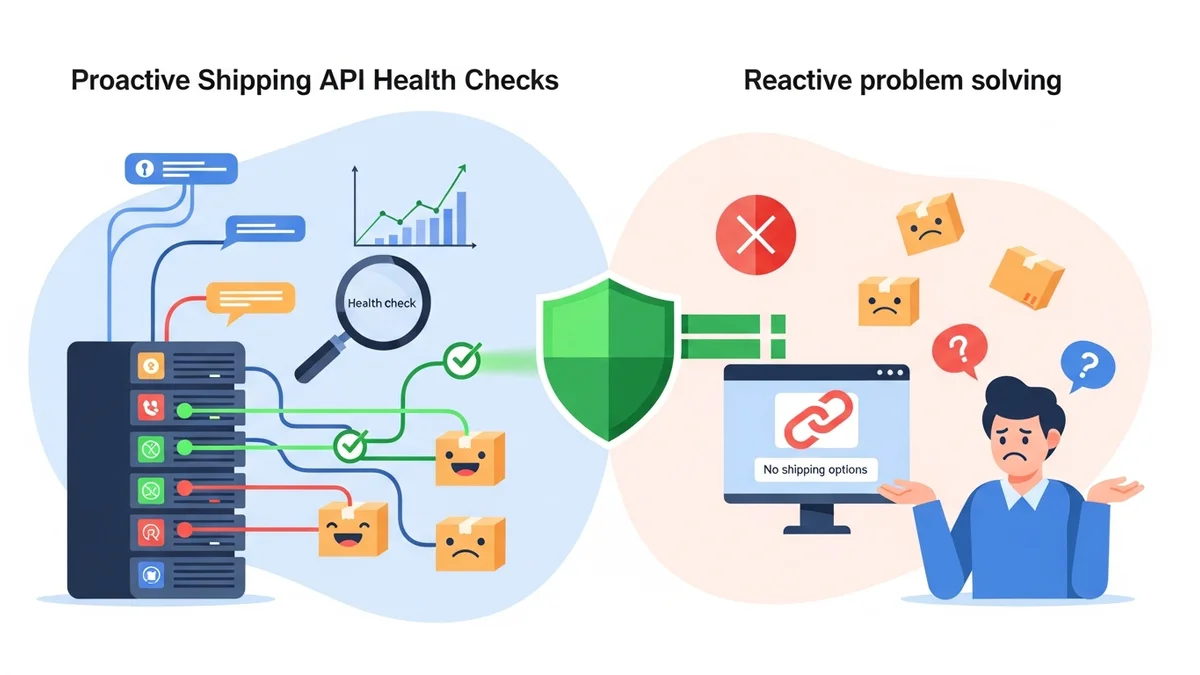
However, what happens when these crucial shipping API endpoints become unreachable? Traditionally, store owners would only discover a problem when customers complained about "no shipping options available," leading to abandoned carts and lost revenue. This reactive approach is costly and damaging to your brand.
Enter automatic endpoint fallback and proactive shipping monitoring. This powerful combination allows your WooCommerce store to detect API issues instantly and, in certain scenarios, automatically switch to a backup endpoint, keeping your checkout operational. It transforms your shipping operations from crisis management to intelligent, preventative action.
Understanding Shipping API Endpoints
Before diving into fallback, let's clarify what an API endpoint is. Think of an API (Application Programming Interface) as a menu of services a shipping carrier offers to other software. An "endpoint" is like a specific address or URL within that menu where your WooCommerce store sends a request for a particular service, such as a shipping rate calculation.
For example, when a customer enters their address at your checkout, your WooCommerce shipping plugin sends a request to a carrier's API endpoint (e.g., Australia Post's Postage Assessment Calculator API, or PAC API) asking, "What's the cost to ship this parcel from A to B?" The endpoint processes this request and sends back the rates.
These endpoints are external dependencies. Your shipping rates, and therefore your ability to complete sales, rely entirely on their availability and correct functioning. If the endpoint is down, slow, or your plugin is using a retired address, your checkout process grinds to a halt.
The Problem with API Failures: Reactive vs. Proactive
Shipping API failures are not a matter of "if," but "when." They can occur due to various reasons: carrier system outages, network issues, security updates, or endpoint retirements. The real challenge is how your store responds.
The Reactive Approach: Waiting for Customer Complaints
In a reactive scenario, you typically discover a shipping API failure only after it has impacted your customers. This often looks like customers contacting support, a sudden spike in abandoned carts, hours of manual investigation, and lost sales.
Consider the April 2026 situation with Australia Post. Australia Post had retired their old PAC API endpoint at /api/postage/, completing a transition to the current endpoint at /postage/. They had responsibly run both endpoints during the transition period, giving plugin developers time to update. However, the official Australia Post Shipping Method for WooCommerce plugin, even at its most up-to-date version, wasn't updated to use the current endpoint. Sauce Code identified the root cause and notified the plugin developers, prompting the fix. Every store using that plugin was affected, and shipping options vanished. We only discovered the issue because a customer complained, highlighting the significant disruption and lost revenue before we even realised what was happening.
The Proactive Approach: Detecting and Handling Problems Automatically
A proactive approach aims to identify and address API issues before they affect customers. This involves continuous monitoring, immediate alerting, and automatic fallback, attempting to maintain service continuity by switching to alternative endpoints. This strategy significantly reduces downtime, protects your sales, and maintains customer trust.
What is Automatic Endpoint Fallback?
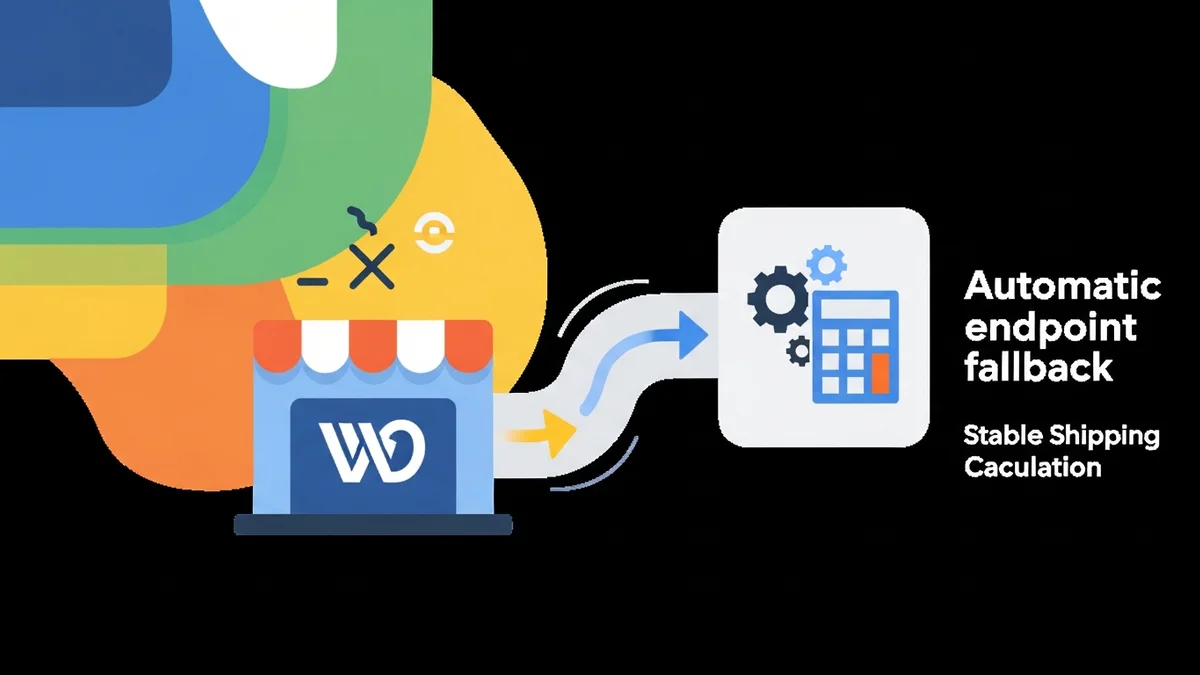
Automatic endpoint fallback is a sophisticated safety net designed to keep your WooCommerce shipping calculations working even when a primary API endpoint fails. In simple terms, if the "address" your store usually uses to talk to a shipping carrier's API isn't responding, the system automatically tries a different, previously known "address" to see if that works instead.
Imagine your shipping plugin has a list of known valid addresses for the Australia Post PAC API. Normally, it uses the primary one. If that primary address suddenly stops working (e.g., returns an error or just doesn't respond), the automatic fallback system will then attempt to use the next address on its list, and so on, until it finds one that works.
When Does Fallback Work?
Fallback is most effective in specific scenarios, such as:
- Plugin Using a Retired Endpoint: If a carrier retires an old endpoint and your plugin hasn't been updated, but the current endpoint is a known alternative, fallback can seamlessly switch to it.
- Temporary Routing Issues: If a specific server or network route to the primary endpoint is temporarily down, but an alternative route or an older, still-active endpoint exists.
- Plugin Reversions: In rare cases, a plugin update might accidentally revert to an older, but still functional, API path.
The WooCommerce Shipping Monitor Pro plugin, for instance, comes pre-configured with known alternative endpoints for supported carriers like Australia Post's PAC API (including both the current /postage/ and legacy /api/postage/ paths). This built-in knowledge allows it to attempt fallback when an endpoint-related failure occurs.
When Does Fallback NOT Work?
It's crucial to understand that automatic endpoint fallback is a last-resort safety net, not a magic bullet. It cannot solve all API problems:
- Carrier-Wide Outage: If the entire shipping carrier's API system is genuinely down across all its known endpoints, fallback cannot help. There's simply no working address to switch to.
- Fundamental API Changes: If the carrier makes a significant, incompatible change to the API's structure or authentication, fallback to an old endpoint won't work.
- Unknown Endpoints: Fallback can only switch to endpoints that are known to the system. It cannot "discover" entirely new, unreleased endpoints.
In cases where fallback fails (all known endpoints are down), the system will alert you immediately, allowing you to manually enable a flat-rate shipping method to keep your checkout functional.
How Automatic Endpoint Fallback Works in Practice with WooCommerce Shipping Monitor Pro
Let's look at how a solution like the WooCommerce Shipping Monitor Pro plugin implements automatic endpoint fallback and proactive monitoring to safeguard your store.
1. Continuous Monitoring and Detection
The plugin doesn't wait for customers to tell you there's a problem. It proactively monitors your shipping API endpoints in two key ways:
- During Checkout: Whenever a customer requests shipping rates, the plugin observes the API call. If the primary endpoint fails, it's immediately detected.
- Scheduled Health Checks: The plugin runs lightweight "health checks" against each monitored API endpoint at configurable intervals (e.g., every hour, every 6 hours). These checks verify that the endpoint is responding correctly, catching issues even when your store isn't busy.
2. The Fallback Process Triggered
When an API endpoint failure is detected:
- The plugin first tries the active (primary) endpoint.
- If the active endpoint fails, it immediately attempts to cycle through other previously known, alternative endpoints for that shipping provider.
- If a working alternative is found, it becomes the new "active endpoint" for subsequent requests. The customer's checkout continues uninterrupted, unaware of the behind-the-scenes switch.
- If all known endpoints fail, the provider's status is marked as "down."
This entire process happens in milliseconds, ensuring minimal impact on the customer experience.
3. Immediate Alerting and Notifications
Whether fallback succeeds or fails, you're immediately notified. The plugin sends HTML-formatted email alerts for various events:
- Fallback Triggered: An alert confirming that the plugin successfully switched to an alternative endpoint, buying you time to investigate.
- All Endpoints Failing: A critical alert if fallback was attempted but no working endpoint could be found, indicating a wider issue.
- Health Check Failed: Notification when a scheduled check detects a problem.
- Recovered: An alert when a previously failed endpoint starts working again, restoring the provider to "healthy" status.
4. Comprehensive Logging and Recovery
Every event – health check, fallback attempt, recovery, and alert – is meticulously logged within your WordPress admin. This provides a full history of your shipping provider's health, allowing you to diagnose issues and track performance.
Key Benefits for Your WooCommerce Store
- Minimised Downtime and Lost Sales: By automatically switching to a working endpoint, you avoid the frustrating "no shipping options" message at checkout.
- Enhanced Customer Experience: Customers expect a seamless shopping journey. Fallback ensures that shipping rates are always available, even when there are underlying API issues.
- Peace of Mind and Proactive Management: With proactive monitoring and instant alerts, you're informed immediately, often before any customer is affected.
- Time Savings and Reduced Troubleshooting: Automatic fallback provides immediate insights: if fallback triggers, you know the primary endpoint had an issue.
- Data-Driven Insights: The comprehensive event logs provide valuable data on the reliability of your shipping carriers' APIs.
Related Articles
Continue your learning with these related resources:
- Why WooCommerce Shipping Breaks (And How to Stop It From Costing You Sales) (Comprehensive Guide)
- The Real Cost of Shipping Downtime for WooCommerce Stores
- Why "Set and Forget" Doesn't Work for WooCommerce Shipping Plugins
- How to Get Email Alerts When Your WooCommerce Shipping API Has Issues
- Your WooCommerce Shipping Reliability Checklist for Peak Season
- 5 Things Every WooCommerce Store Owner Should Do to Keep Shipping Working
Conclusion
In the competitive e-commerce landscape, an uninterrupted checkout experience is non-negotiable. Relying solely on a reactive approach to shipping API failures is a recipe for lost sales and customer dissatisfaction. Automatic endpoint fallback, coupled with proactive monitoring, is an essential tool for any serious WooCommerce store owner.
By automatically detecting and attempting to mitigate shipping API disruptions, solutions like WooCommerce Shipping Monitor Pro empower you to maintain operational continuity, protect your revenue, and deliver a consistently excellent customer experience. It's not just about fixing problems; it's about preventing them and ensuring your store is always open for business, even when external services face challenges.