Introduction
For any e-commerce business operating on WooCommerce, scaling operations often brings with it the challenge of high-volume order fulfilment. As order numbers grow, manual processes quickly become bottlenecks, slowing down shipping and impacting customer satisfaction. The key to navigating this growth successfully lies in adopting streamlined workflows, particularly when it comes to preparing for the generation of multiple shipping labels efficiently.
This article dives into expert recommendations and industry best practices for optimising your WooCommerce fulfilment process, with a strong focus on preparing for the generation of multiple shipping labels efficiently. We'll explore actionable insights designed to help fulfilment and logistics managers reduce errors, save time, and build a more robust shipping operation.
Understanding High-Volume Fulfilment Challenges
Processing a large volume of orders daily requires more than just extra hands; it demands smarter systems. Without optimised strategies, the very success of increased sales can lead to operational strain and customer dissatisfaction.
Manual Processes as Bottlenecks
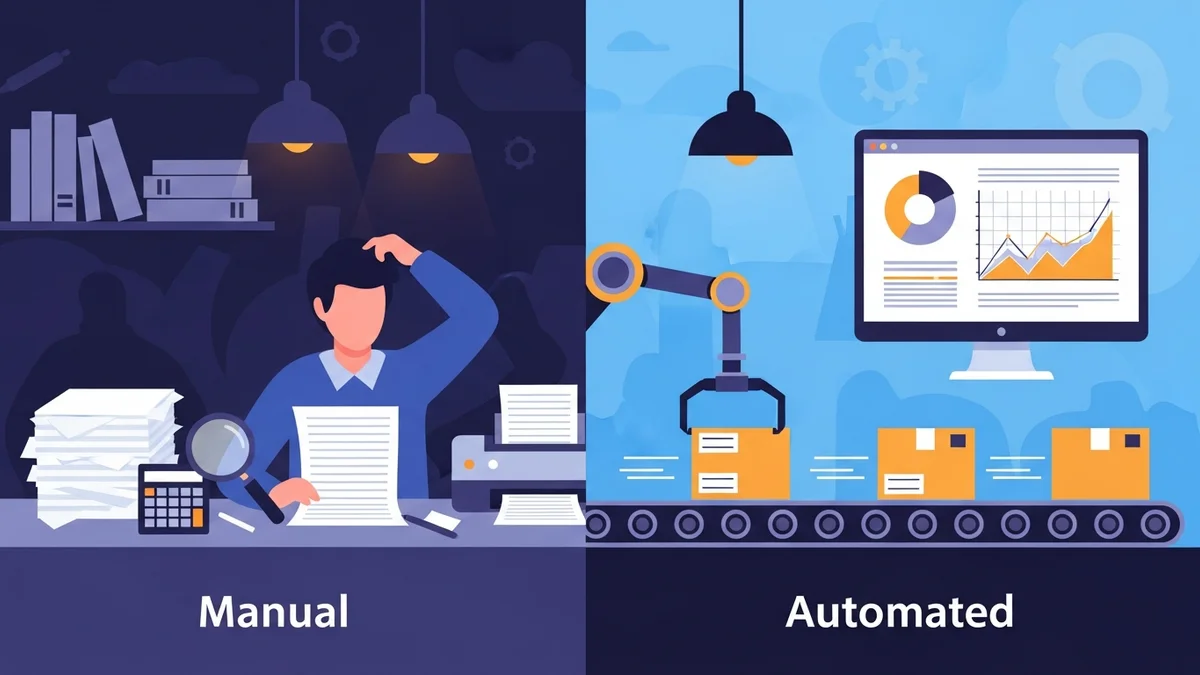
One of the most significant hurdles in high-volume fulfilment is the reliance on manual data entry. Copying customer addresses, order details, and parcel information into carrier portals one by one is incredibly time-consuming. This not only slows down the entire shipping process but also drastically increases the likelihood of human error, leading to misdeliveries or incorrect postage.
Imagine processing hundreds of orders daily. If each order takes just two minutes of manual data entry, that's hours spent simply preparing shipping information, diverting valuable resources from other critical tasks. This inefficiency becomes a major bottleneck, preventing your team from focusing on strategic growth initiatives.
The Impact on Customer Satisfaction
In today's competitive e-commerce landscape, fast and accurate shipping isn't a luxury; it's an expectation. Delays caused by inefficient fulfilment processes directly translate into longer delivery times and frustrated customers. When customers experience slow shipping or receive incorrect orders, their trust in your brand diminishes, potentially leading to negative reviews and lost repeat business.
Conversely, a smooth and rapid fulfilment process enhances the customer experience, fostering loyalty and positive word-of-mouth. Providing timely shipping notifications and accurate delivery estimates, all stemming from an efficient backend, is paramount.
Scaling Operations Efficiently
True scalability means your operational capacity can expand seamlessly with demand, without a proportional increase in resources or a decline in service quality. For high-volume WooCommerce stores, this means transitioning away from ad-hoc solutions to integrated, automated workflows.
The goal is to move beyond simply "getting orders out" to strategically designing a system that can handle peak seasons, flash sales, and sustained growth with minimal stress. This involves investing in the right tools and implementing processes that can be easily replicated and scaled.
Core Principles for Streamlined Order Fulfilment
Building an efficient fulfilment system starts with establishing fundamental principles that guide your operational design. These principles ensure consistency, accuracy, and adaptability as your business evolves.
Centralised Order Management
Your WooCommerce store should serve as the central hub for all order information. This means ensuring that all customer data, product details, payment statuses, and shipping preferences are accurately recorded and easily accessible within the WooCommerce environment. A unified view of your orders prevents data silos and inconsistencies, providing a single source of truth for your fulfilment team.
This centralisation is critical for efficient batch processing. When all necessary information resides in one place, it simplifies the extraction of data required for bulk shipping label generation within the Australia Post Business Portal, minimising the need to cross-reference multiple systems or spreadsheets.
Data Accuracy and Standardisation
Garbage in, garbage out applies directly to fulfilment. Inaccurate or incomplete data can derail even the most sophisticated systems. It's vital to ensure that customer shipping addresses are precise, product weights and dimensions are correctly entered into WooCommerce, and any special shipping instructions are clearly captured.
Implementing address validation at the checkout stage can significantly reduce delivery issues. Furthermore, standardising product data – ensuring every product has an accurate weight and dimensions – is non-negotiable for automated parcel classification for shipping and proper parcel classification by carriers. This foundational accuracy is essential for generating reliable bulk shipping labels.
Workflow Automation
The cornerstone of high-volume fulfilment is automation. Identify repetitive tasks that consume significant manual effort and seek out solutions to automate them. This includes everything from order status updates to, most critically, the preparation of shipping information for carriers.
Automation minimises human intervention, thereby reducing errors and freeing up your team to focus on more complex tasks, such as quality control, inventory management, or customer service. The less manual touchpoints an order has before shipping, the faster and more reliably it gets out the door.
Implementing Best Practices for Bulk Shipping Labels in WooCommerce
With core principles in place, let's look at specific, actionable best practices for optimising the creation of bulk shipping labels within your WooCommerce ecosystem.
Consolidate Orders for Batch Processing
Instead of processing orders one by one as they come in, consolidate them into batches for efficient fulfilment runs. This allows you to apply the same steps to multiple orders simultaneously, saving time. Typically, orders with a "Processing" status are ready for fulfilment.
For example, a common practice is to perform a daily shipping run each morning, exporting all "Processing" orders accumulated overnight. During peak periods, you might execute multiple runs throughout the day, ensuring orders are shipped out as quickly as possible. This batching strategy significantly reduces the overhead associated with individual order handling.
Leverage CSV Export for Carrier Integration
Many major postal carriers, including Australia Post, offer a bulk import feature that allows businesses to upload order data in a specific CSV (Comma Separated Values) format. This functionality is a game-changer for high-volume operations, as it allows you to prepare dozens or even hundreds of shipping labels in minutes, bypassing tedious manual entry into the carrier's online portal.
For Australian e-commerce stores using Australia Post, a dedicated solution like the WooCommerce Australia Post CSV Export Pro plugin becomes invaluable. This tool is designed to streamline the bulk shipping label creation process by exporting your WooCommerce orders directly to CSV files that are pre-formatted for upload to the Australia Post Business Portal. It automatically pulls accurate shipping addresses, calculates parcel weights based on your product data, and ensures everything adheres to Australia Post's exact specifications. This means you save hours of manual work and benefit from a professional shipping workflow where you can review order details, adjust services, then export the CSV and generate/print labels in bulk within the Australia Post Business Portal.
Standardise Shipping Services and Packaging
To further accelerate your bulk label creation, standardise your shipping services and packaging options as much as possible. While offering choice to customers is good, having a clear set of default services for different parcel types can speed up internal processing.
For instance, you might default to Parcel Post for domestic shipments and Standard for international orders, with options for customers to upgrade to Express Post at checkout. Tools like the WooCommerce Australia Post CSV Export Pro plugin allow you to configure these options per-order or set smart defaults that apply automatically. This flexibility, combined with the ability to select specific Australia Post satchels (Extra Small through Extra Large) or use your own packaging, means less decision-making at the point of fulfilment and quicker label generation.
Optimise Product Data for Shipping
Accurate product data is the backbone of efficient shipping. Every product in your WooCommerce catalog should have precise weight and dimensions entered. This information is critical because it directly impacts the ability of the Australia Post Business Portal to calculate shipping costs and the ability of plugins to automatically determine the correct parcel size and type for the CSV export.
When you use a CSV export solution, the plugin relies on this data. For example, the WooCommerce Australia Post CSV Export Pro automatically calculates the total parcel weight from individual product weights within an order. It also uses the maximum product dimensions to help classify the parcel size. If weights are missing, the plugin can apply sensible defaults (e.g., 0.5kg), but consistent and accurate product data ensures the most precise and error-free label generation.
Implement a Robust Printing Strategy
Generating the CSV file is only half the battle; printing your labels efficiently is the other. Investing in a dedicated thermal label printer (e.g., 4x6 inch labels) is a wise choice for high-volume operations. These printers are fast, cost-effective (no ink required), and produce durable, professional-looking labels.
Once you've uploaded your CSV to the carrier portal (like the Australia Post Business Portal) and generated the labels, you can often print them all in one go. For a deeper dive into various methods for printing multiple shipping labels, including direct label printing and third-party integrations, you might find our related article, "5 Ways to Print Bulk Shipping Labels in WooCommerce (Compared)," particularly useful.
Managing International Shipments with Ease
International shipping introduces additional layers of complexity, primarily due to customs declarations and varying regulations. Manually filling out customs forms for each international order is incredibly time-consuming and prone to errors. Best practices dictate automating this process as much as possible.
Solutions like the WooCommerce Australia Post CSV Export Pro plugin offer full international support. They enable you to export international orders with automatically generated customs declarations. The plugin pre-fills crucial details such as parcel contents, values, weights, and country of origin directly from your WooCommerce order data. This eliminates the need for manual customs form completion, significantly speeding up international fulfilment and ensuring compliance.
Advanced Strategies for Peak Performance
Beyond the fundamental best practices, integrating advanced strategies can push your fulfilment efficiency to the next level, particularly during periods of high demand.
Batch Processing and Workflow Scheduling
Formalise your batch processing schedule. Whether it's once a day, twice a day, or even more frequently during peak seasons, having a consistent schedule ensures that orders are never left waiting unnecessarily. For example, during a holiday rush, you might schedule multiple export and processing runs per day to keep up with the influx of orders, ensuring timely dispatch.
Consider setting cutoff times for same-day shipping. Orders placed after a certain time will be processed in the next scheduled batch. Communicate these cutoffs clearly to your customers to manage expectations effectively. This structured approach helps manage workload and prevents last-minute rushes.
Regular Data Audits and Optimisation
Even with automated systems, periodic audits of your data are crucial. Regularly check for any discrepancies in product weights or dimensions, ensure customer address fields are being correctly captured, and review any common errors that arise during the label generation process. This proactive approach helps identify and rectify issues before they impact a large volume of orders.
Optimisation isn't a one-time setup; it's an ongoing process. Use insights from your fulfilment operations to refine your WooCommerce product data, shipping rules, and plugin configurations. Continuous improvement ensures your system remains agile and efficient as your business and carrier requirements evolve.
Training and Team Empowerment
Even the most sophisticated fulfilment system requires skilled operators. Invest in thorough training for your fulfilment team on how to use your WooCommerce setup, shipping plugins, and carrier portals effectively. Ensure they understand the complete workflow, from order receipt to label generation and dispatch.
Empower your team with clear standard operating procedures (SOPs) and the knowledge to troubleshoot common issues. A well-trained and confident team can maximise the efficiency benefits of your automated tools, ensuring smooth operations even during high-pressure periods.
Related Articles
Continue your learning with these related resources:
- The Complete Guide to WooCommerce Shipping for Australian Stores (Comprehensive Guide)
- How to Configure Default Shipping Service and Packaging in WooCommerce for Australia Post
- How to Customize Your Australia Post WooCommerce Export Table Columns
- How to Set Up Sender Details in WooCommerce for Australia Post CSV Export
- How to Set Up WooCommerce Product Weights for Accurate Australia Post CSV Export
- How to Set Signature on Delivery and Extra Cover Defaults for Australia Post WooCommerce Exports
Conclusion
Mastering high-volume WooCommerce order fulfilment, particularly the preparation for the creation of bulk shipping labels, is a cornerstone of scalable e-commerce success. By moving away from manual, error-prone processes and embracing automation, businesses can significantly reduce operational costs, accelerate delivery times, and dramatically enhance customer satisfaction.
Implementing best practices such as centralised order management, rigorous data accuracy, and leveraging powerful tools like the WooCommerce Australia Post CSV Export Pro plugin, transforms a complex challenge into a streamlined workflow. These strategies empower fulfilment and logistics managers to confidently scale their operations, ensuring that growth is met with efficiency, not overwhelm. Investing in these practices is not just about saving time; it's about building a robust, future-proof shipping operation that drives customer loyalty and business growth.