Introduction
For any WooCommerce store owner, an email list is one of your most valuable assets. It's a direct line to your customers, allowing you to announce new products, share promotions, and build lasting relationships. While many focus on pop-ups or checkout opt-ins, your product and category pages offer an often-untapped goldmine for attracting new subscribers.
These pages are where visitors show genuine interest in what you sell. By strategically placing your email newsletter sign-up options here, you can capture their attention at a high-intent moment, converting casual browsers into engaged community members. This article will guide you through the practical steps to implement these promotions effectively.
Why Promote on Product and Category Pages?
You might wonder why these specific pages are so crucial for growing your email list. The answer lies in visitor behaviour and intent. Unlike a homepage browser, someone on a product or category page is actively exploring your offerings, making them highly receptive to relevant content.
- High Intent Traffic: Visitors on these pages are already interested in your products or a specific category of items. They are deeper in your sales funnel, making them more likely to subscribe.
- Increased Visibility: Product and category pages are typically among the most visited pages on any e-commerce site. Placing your sign-up form here ensures maximum exposure.
- Contextual Relevance: You can tailor your offer to the specific products or categories being viewed. For example, offer a "Sustainable Living Tips" newsletter on an eco-friendly products category page.
- Convert Browsers to Subscribers: Even if a visitor doesn't make a purchase immediately, capturing their email address gives you another chance to nurture them towards a sale in the future.
Key Elements of an Effective Newsletter Promotion
Before diving into where to place your sign-up forms, let's consider what makes a promotion compelling. A well-designed offer and call-to-action are essential for encouraging sign-ups.
- Clear Value Proposition: Why should someone sign up? Clearly state the benefits. Will they get exclusive discounts, early access to sales, helpful tips, or news?
- Compelling Call-to-Action (CTA): Use action-oriented language that highlights the benefit. Instead of just "Subscribe," try "Get 10% Off Your First Order," "Join the VIP Club," or "Unlock Exclusive Recipes."
- Simple Form: Keep it minimal. Ideally, just an email address field. Adding too many fields can deter sign-ups.
- Trust and Transparency: Briefly mention how their data will be used or link to your privacy policy. This builds trust and reassures potential subscribers.
Where to Place Newsletter Promotions on Product Pages
Product pages are prime real estate. Visitors here are considering a purchase, making them highly engaged. Here are strategic locations to consider for your newsletter sign-up forms:
Below the Product Description
Once a customer has read about a product, they've shown interest. Placing your sign-up form here allows them to opt-in after they've absorbed the initial product information. It feels natural and less intrusive than a pop-up.
Within a Custom Product Tab
Many WooCommerce themes or plugins (like "WooCommerce Product Tabs") allow you to add custom tabs to your product pages. Dedicate a tab to your "Newsletter" or "Exclusive Offers." This keeps the main product description clean while offering an easy way for interested visitors to subscribe.
In the Product Sidebar (If Available)
If your theme includes a sidebar on product pages, this can be a consistent and visible spot for a newsletter widget. It remains visible as users scroll, making it a persistent invitation to join your list.
Below Related Products or Upsells
After presenting related products or upsell opportunities, visitors are still in a browsing mindset. Offering a newsletter sign-up here can capture their interest if they haven't found exactly what they're looking for or want to stay informed about similar items.
Where to Place Newsletter Promotions on Category Pages
Category pages serve as hubs for specific types of products. Visitors here are exploring options, making them excellent candidates for targeted newsletter promotions. Think about how your offer can relate to the category itself.
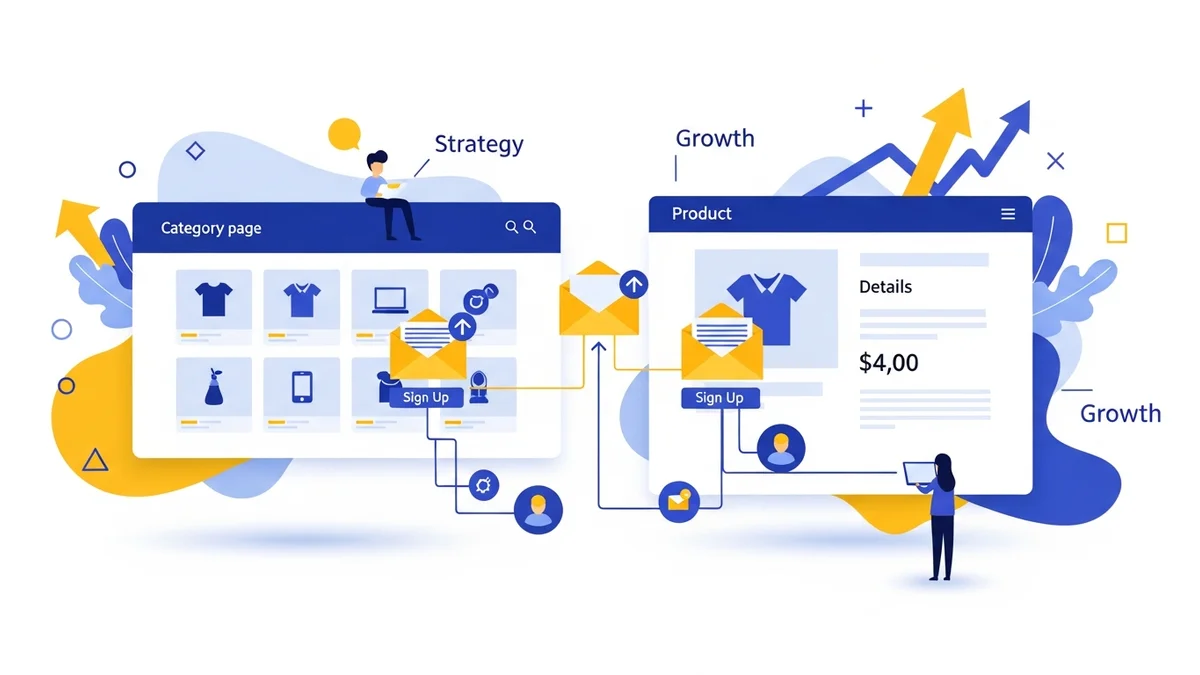
At the Top of the Category Description
Many WooCommerce themes display a category description at the top of the page. This is a highly visible spot. You can integrate a short, compelling pitch and sign-up form directly into this area, inviting visitors to get updates on products within that category.
As a Sidebar Widget
Similar to product pages, a sidebar widget on category pages offers a consistent placement. This is particularly effective if your store has many categories, allowing you to use a generic "Get Updates" offer or dynamically change it based on the category.
Interspersed Within the Product Grid
Imagine scrolling through a list of products and every few rows, you see a small, visually appealing banner prompting you to sign up for exclusive category-specific deals. This can be very effective as it breaks up the product listings and catches the eye without being overly disruptive.
At the Bottom of the Category Page
For visitors who scroll all the way through a category page, reaching the bottom indicates a high level of engagement. Offering a sign-up form here provides a final opportunity to capture their interest before they navigate away.
Crafting Your Opt-In Offer
The success of your newsletter promotion heavily depends on the appeal of your offer. Generic "Sign Up for Our Newsletter" messages rarely perform as well as those that provide a clear incentive.
- Exclusive Discounts or First-Order Perks: "Get 10% Off Your First Purchase" is a powerful incentive that directly encourages both subscription and conversion.
- Early Access to Sales & New Products: Make subscribers feel like VIPs. "Be the first to know about new arrivals and exclusive sales."
- Valuable Content: If you sell coffee beans, offer "Brewing Guides & Exclusive Recipes." If you sell pet supplies, provide "Pet Care Tips & Product Reviews."
- Giveaways or Contests: Occasionally running a contest for subscribers can significantly boost sign-ups. Ensure the prize is relevant to your products.
- Free Shipping Offer: A classic incentive that removes a common
Related Articles
Continue your learning with these related resources:
- The Complete Email Marketing Guide for WooCommerce Stores Using Campaign Monitor (Comprehensive Guide)
- How to Run a Black Friday Email Campaign for Your WooCommerce Store in Campaign Monitor
- What Email List Opt-in Incentives Work Best for WooCommerce Stores
- How to Create a Win-Back Email Campaign for Lapsed WooCommerce Customers in Campaign Monitor
- How to Re-Engage WooCommerce Customers Who Never Opted in to Your Email List
- How to Reduce WooCommerce Customer Churn with Targeted Retention Emails in Campaign Monitor