Introduction
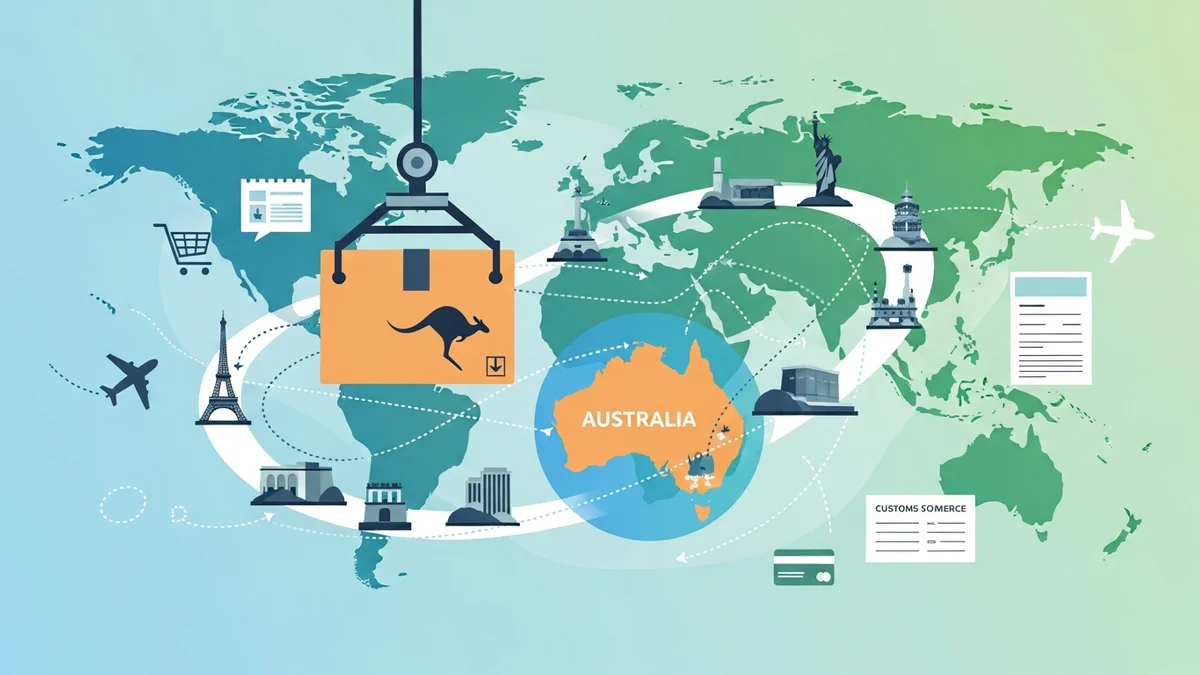
Opening your WooCommerce store to international customers from Australia can unlock incredible growth opportunities. While the thought of shipping globally might seem daunting with customs forms, different regulations, and carrier choices, it's a manageable process with the right setup and understanding.
This complete guide will walk you through the essentials of setting up international shipping for your Australian WooCommerce store. We'll cover everything from choosing the right carriers and understanding customs to preparing your packages and streamlining your workflow, helping you confidently send your products worldwide.
Understanding the Basics of International Shipping from Australia
Before you start sending parcels across oceans, it's vital to grasp the core components of international shipping. It’s more than just putting a label on a box; it involves careful planning and adherence to various rules.
The Two Main Components: Physical Shipment & Paperwork
- The Physical Shipment: This involves choosing the right packaging, weighing your items accurately, and selecting a reliable shipping service. Your package needs to withstand a longer journey and potentially more handling than a domestic one.
- The Paperwork: This is often the trickiest part. It includes customs declarations, commercial invoices, and sometimes specific permits. Accurate documentation ensures your parcels clear customs smoothly and reach their destination without delays or unexpected fees for your customers.
Key Considerations Before You Start
Thinking through these points upfront can save you headaches and costs down the line:
- Product Eligibility: Not all products can be shipped to every country. Research import restrictions and prohibited items for your target markets. For instance, certain foods, chemicals, or electronics might have restrictions.
- Country-Specific Rules: Each country has unique customs regulations, import duties, and taxes. While you can't know every detail, being aware of common requirements helps.
- Shipping Costs & Pricing Strategy: International shipping is more expensive. Decide whether you'll pass the full cost to the customer, offer partial subsidies, or incorporate it into product pricing. Clearly display costs at checkout.
- Delivery Expectations: International delivery times vary significantly. Be transparent with your customers about estimated transit times, which can range from a few days for express services to several weeks for economy options.
Choosing Your International Shipping Carrier(s)
Selecting the right carrier is crucial for reliability, cost-effectiveness, and customer satisfaction. From Australia, you have several reputable options, each with its strengths.
Australia Post: The Go-To for Many
Australia Post is often the first choice for Australian businesses due to its extensive network and competitive pricing for many destinations. They offer a range of international services:
- Economy Air: The most affordable option, suitable for non-urgent, low-value items. Offers limited tracking and longer delivery times.
- Standard (Pack and Track International / Registered Post International): A balanced option offering tracking and signature on delivery for added security. Good for everyday parcels.
- Express (Express Post International): Faster delivery with comprehensive tracking, ideal for urgent shipments or higher-value items where speed is a priority.
- Courier (International Courier): Their fastest, premium service, offering door-to-door delivery with priority handling.
Benefits for WooCommerce Stores: Australia Post's wide reach, particularly to many smaller countries, makes it a reliable choice. Their services are well-integrated into the Australian e-commerce ecosystem. For businesses using the WooCommerce Australia Post CSV Export Pro plugin, you can easily select Australia Post's International Standard (STD) or Express (EXP) services for each international order directly within your WooCommerce admin, streamlining the process of preparing your orders for bulk label generation in the Australia Post Business Portal.
Private Couriers (DHL, FedEx, UPS, StarTrack)
For specific needs, private couriers offer robust international services, often known for speed, advanced tracking, and dedicated customer support. These are typically more expensive than Australia Post but can be invaluable for certain shipments:
- When to Use Them:
- Speed: If express delivery within a few business days is critical, couriers often excel.
- High-Value Items: Enhanced security and insurance options can be beneficial.
- Specialty Services: Some couriers offer temperature-controlled shipping or specific handling for fragile goods.
- Specific Destinations: For very remote areas or countries where Australia Post might have limited service, a private courier might offer better coverage.
- Considerations: Private couriers often require setting up a business account, and their pricing structures can be complex. Compare rates based on your typical parcel size, weight, and destination.
Setting Up International Shipping in WooCommerce
Configuring your WooCommerce store to handle international shipping effectively is key to a smooth customer experience and accurate cost calculation.
Shipping Zones and Methods
WooCommerce's shipping zones feature is your best friend for international shipping. It allows you to define different shipping rules and costs for various geographic regions:
- Create New Shipping Zones: Go to WooCommerce > Settings > Shipping > Shipping zones. Click "Add shipping zone."
- Define Zone Regions: Name your zone (e.g., "New Zealand," "Europe," "USA & Canada"). Select the specific countries or even states/provinces within those countries that belong to this zone. This allows you to tailor shipping costs and options.
- Add Shipping Methods: For each international zone, add appropriate shipping methods. Common options include:
- Flat Rate: A fixed cost for all orders within that zone, or a fixed cost per item/weight unit.
- Free Shipping: Offer free shipping for orders over a certain amount to incentivize larger purchases.
- Table Rate Shipping: (Requires a plugin) Allows for highly flexible rules based on weight, total cost, item count, or even dimensions.
Important Note: The WooCommerce Australia Post CSV Export Pro plugin focuses on preparing your order data for Australia Post. It does NOT calculate shipping rates or display them at your WooCommerce checkout. You will need to configure your shipping methods and rates directly within WooCommerce or use a dedicated shipping rate calculation plugin for that purpose.
Product Data for International Shipments
Accurate product data in WooCommerce is absolutely critical for international shipping. It impacts everything from shipping cost calculations (if you use a rate calculator) to customs declarations:
- Accurate Weight and Dimensions: Ensure every product has correct weight and dimensions (length, width, height) entered in its product data. This is essential for calculating shipping costs and determining appropriate packaging. Our WooCommerce Australia Post CSV Export Pro plugin calculates the total parcel weight from individual product weights in the order and uses the maximum product dimensions, which helps in selecting suitable Australia Post packaging options like satchels or boxes, or your own packaging.
- HS Codes (Harmonized System Codes): These are internationally standardized numbers used by customs to classify products. Providing HS codes on your customs declarations can help speed up customs clearance and ensure correct duties are applied. You might need to add a custom field to your products in WooCommerce to store these.
- Country of Origin: Customs often require to know where a product was manufactured. Ensure this information is readily available for your documentation.
Navigating Customs and Documentation
This is where many businesses get intimidated, but it's manageable with a clear understanding. Correct documentation is the cornerstone of smooth international shipping.
Customs Declarations (CN22/CN23)
Customs declarations are mandatory for all international shipments. They inform the destination country's customs authorities about the contents of your package. Australia Post typically uses:
- CN22: For packages with a total value generally under AUD$400.
- CN23: For packages with a total value generally over AUD$400, requiring more detailed information.
Required Information on Customs Declarations:
- Sender's and recipient's full names and addresses.
- Detailed description of each item (e.g., "Men's Cotton T-shirt," not just "Clothing").
- Quantity of each item.
- Value of each item and total value.
- HS (Harmonized System) code for each item (if known).
- Country of origin for each item.
- Weight of the parcel.
- Indication of whether the item is a gift, commercial sample, document, or other.
How the Plugin Helps: Our WooCommerce Australia Post CSV Export Pro plugin significantly simplifies customs declarations for international shipments. When you export an international order, the plugin automatically generates the necessary customs declaration data, including detailed item descriptions, quantities, and values, directly from your WooCommerce order. This information is pre-filled into the Australia Post CSV format, ready for upload. This drastically reduces manual data entry, minimizes errors, and ensures your declarations are accurate for bulk processing, saving you valuable time.
Commercial Invoices
A commercial invoice is essentially a bill of sale that accompanies your international shipment. It's used by customs to assess duties and taxes. It should be printed and attached to the outside of your package (often in a clear pouch).
What to Include:
- Your business name and address.
- Recipient's name and address.
- Invoice number and date.
- Order number.
- Detailed description of goods (matching the customs declaration).
- Quantity, unit value, and total value of each item.
- Total value of the shipment.
- Shipping costs (if applicable).
- Terms of sale (e.g., Incoterms like DDU or DDP – see below).
- Reason for export (e.g., "Sale").
Export Permits and Licenses
While most standard e-commerce products don't require special permits, certain goods do. These might include:
- Controlled Goods: Items like firearms, certain chemicals, or dual-use technologies.
- Cultural Heritage Items: Certain artworks or antiques.
- Wildlife Products: Items derived from protected species.
Always check the regulations for both Australia (your export country) and the destination country if you're shipping anything beyond standard retail goods.
Duties, Taxes, and Import GST
This is a critical area for customer satisfaction. Import duties and taxes are imposed by the destination country's government. Australia Post's services generally operate on a "Delivery Duty Unpaid" (DDU) basis, meaning the recipient is responsible for these charges upon arrival.
- Who Pays? In most e-commerce scenarios shipping from Australia, the customer is responsible for paying import duties, taxes, and any local GST/VAT when the parcel arrives in their country. This is known as DDU (Delivered Duty Unpaid) or DAP (Delivered At Place).
- Transparency is Key: Clearly state in your shipping policy and at checkout that international customers may be subject to import duties and taxes levied by their local customs office, and these are the recipient's responsibility. Unexpected fees can lead to refused deliveries and unhappy customers.
- DDP (Delivered Duty Paid): Some larger businesses opt for DDP, where you, the seller, pre-pay all duties and taxes. This offers a smoother customer experience but is complex to implement and manage for small businesses.
Note: Our plugin does NOT calculate duties, taxes, or GST for international shipments. This is a complex area that typically requires integration with specialised tax calculation services or clear communication with your customers about their responsibilities.
Packaging and Labeling for International Shipments
Your package needs to be robust enough to withstand a longer, potentially rougher journey. Proper packaging and clear labeling prevent damage and ensure smooth transit.
Secure Packaging
- Durability: Use strong, new boxes or satchels. Recycled boxes might not have the structural integrity needed for international travel.
- Cushioning: Generously use bubble wrap, packing peanuts, crumpled paper, or air pillows to protect items from movement and impact within the box.
- Sealing: Use strong packing tape to seal all seams and flaps. Reinforce edges, especially for heavier parcels.
- Appropriate Size: Don't use a box that's too big (items will shift) or too small (box might burst). Our WooCommerce Australia Post CSV Export Pro plugin calculates the total parcel weight from product weights and uses the maximum product dimensions, helping you select the correct Australia Post satchels (XS, S, M, L, XL) or boxes (S, M, L, XL), or your own packaging ('Own Packaging') for each order.
Clear Labeling
Once you've uploaded your CSV to the Australia Post Business Portal and generated your labels, ensure they are securely attached:
- Placement: Affix the shipping label and customs declaration firmly to the largest side of the package, ensuring no seams or edges obscure any information or barcodes.
- Legibility: Make sure all information is clear and readable. If printing yourself, use a high-quality printer.
- Multiple Copies: It's often recommended to place one copy of the commercial invoice inside the package and another in a clear pouch on the outside.
Managing Returns and Customer Service for International Orders
Anticipating returns and providing excellent support for international customers is vital for building trust and repeat business.
Clear Returns Policy
An international returns policy needs to be even clearer than a domestic one. Address these points:
- Eligibility: What conditions must items meet for an international return?
- Timeframe: How long do customers have to initiate a return?
- Return Shipping Costs: Who pays for international return shipping? This can be very expensive. Generally, for a change of mind, the customer covers it. For faulty items, you might need to.
- Customs Re-importation: Explain how customs duties and taxes are handled for returns – sometimes these can be reclaimed by the customer, but it's often a complex process.
Tracking and Support
International customers rely heavily on tracking for peace of mind. While our WooCommerce Australia Post CSV Export Pro plugin does NOT generate or provide tracking numbers directly, the CSV export process enables Australia Post to generate these tracking numbers when you upload the data to their portal and print your labels. You then need to communicate these tracking numbers to your customers.
- Proactive Communication: Provide tracking numbers promptly.
- Customs Inquiries: Be prepared to assist customers if their parcel gets held up in customs. This might involve providing additional documentation or helping them understand customs procedures in their country.
Streamlining Your International Shipping Workflow with Tools
Manually preparing international orders can quickly become overwhelming, especially as your sales grow. Leveraging the right tools can save you countless hours and reduce errors.
WooCommerce Extensions & Integrations
The WooCommerce ecosystem offers a wide range of plugins and extensions designed to simplify various aspects of shipping. These can help with everything from displaying real-time shipping rates at checkout to generating compliant customs forms.
Leveraging CSV Export for Efficiency
One of the most powerful ways to streamline your international shipping from Australia is through CSV (Comma Separated Values) export. Instead of manually copying and pasting order details into the Australia Post Business Portal for each individual international shipment, a CSV export allows you to process multiple orders at once.
For Australian WooCommerce stores, the WooCommerce Australia Post CSV Export Pro plugin is a powerful tool specifically designed to bridge the gap between your WooCommerce orders and Australia Post's bulk shipping system. It addresses a significant pain point for many store owners handling international sales.
- Bulk Processing: The plugin allows you to export all your "Processing" international orders into Australia Post's required CSV format. This includes all necessary recipient details, the Australia Post international service you've selected (Standard or Express), the chosen packaging type (Australia Post satchels/boxes or your own), and critically, automatically generated customs declaration information.
- Error Reduction: By exporting data directly from your WooCommerce orders, you eliminate manual data entry errors that commonly occur when transferring information by hand. This leads to fewer customs delays and a smoother delivery experience for your customers.
- Time Savings: Imagine during a seasonal rush, you have dozens of international orders. With the plugin, you can export them all in a single 'International only' CSV file. This file is then ready for immediate upload to the Australia Post Business Portal for bulk label generation. This significantly reduces the time spent on administrative tasks, allowing you to focus more on your business and customers.
- Customs Compliance: The automatic generation of customs declaration data, including item descriptions, quantities, and values, ensures that your shipments are compliant with international regulations, making customs clearance more efficient.
This approach transforms a potentially time-consuming and error-prone manual process into a fast, accurate, and efficient workflow, essential for scaling your international sales.
Related Articles
Continue your learning with these related resources:
- The Complete Guide to WooCommerce Shipping for Australian Stores (Comprehensive Guide)
- How to Configure Default Shipping Service and Packaging in WooCommerce for Australia Post
- How to Customize Your Australia Post WooCommerce Export Table Columns
- How to Set Up Sender Details in WooCommerce for Australia Post CSV Export
- How to Set Up WooCommerce Product Weights for Accurate Australia Post CSV Export
- How to Set Signature on Delivery and Extra Cover Defaults for Australia Post WooCommerce Exports
Conclusion
Shipping internationally from your Australian WooCommerce store opens up a world of possibilities for your business. While it comes with its own set of complexities, by understanding the basics of carriers, mastering customs documentation, and leveraging efficient tools, you can confidently expand your reach.
Remember to choose reliable carriers like Australia Post, configure your WooCommerce shipping zones carefully, provide accurate product data, and be transparent with customers about potential duties and taxes. Tools like the WooCommerce Australia Post CSV Export Pro plugin can be invaluable in streamlining your workflow, automating tedious data entry for customs declarations, and preparing your international orders for bulk processing with Australia Post.
Embrace the global market and watch your Australian brand connect with customers worldwide!