Introduction
For fulfilment and logistics managers, peak season is a test of operational resilience. The holiday rush, with its surge in order volume and heightened customer expectations, can quickly expose vulnerabilities in a WooCommerce store's shipping and fulfilment processes. Manual tasks, once manageable, become significant bottlenecks, leading to delays, errors, and ultimately, dissatisfied customers.
Mastering this period isn't just about working harder; it's about working smarter. The key lies in strategic planning and robust WooCommerce shipping automation. By implementing efficient workflows and leveraging the right tools, you can transform the holiday rush from a chaotic scramble into a well-oiled operation, ensuring your packages get out the door swiftly and accurately.
The Peak Season Challenge in WooCommerce Fulfilment
Peak season brings a unique set of challenges that can strain even the most optimised fulfilment operations. The sheer volume of incoming orders, often accompanied by shorter delivery windows and increased customer service inquiries, demands exceptional agility and precision.
- Exploding Order Volumes: A sudden, sustained increase in orders can quickly overwhelm manual processing, leading to a backlog.
- Tight Deadlines: Customers expect faster delivery during holidays, putting immense pressure on your team to pick, pack, and ship orders rapidly.
- Increased Error Potential: Rushing to meet demand often results in higher rates of manual data entry errors, incorrect shipments, or missed details.
- Carrier Capacity Strain: Shipping carriers themselves face peak demands, which can lead to extended transit times and unexpected delays.
- Resource Overload: Staffing, packaging materials, and warehouse space can all become scarce resources under peak load.
Without adequate preparation and automation, these challenges can escalate into significant operational headaches, impacting profitability and customer loyalty.
The Imperative of WooCommerce Shipping Automation
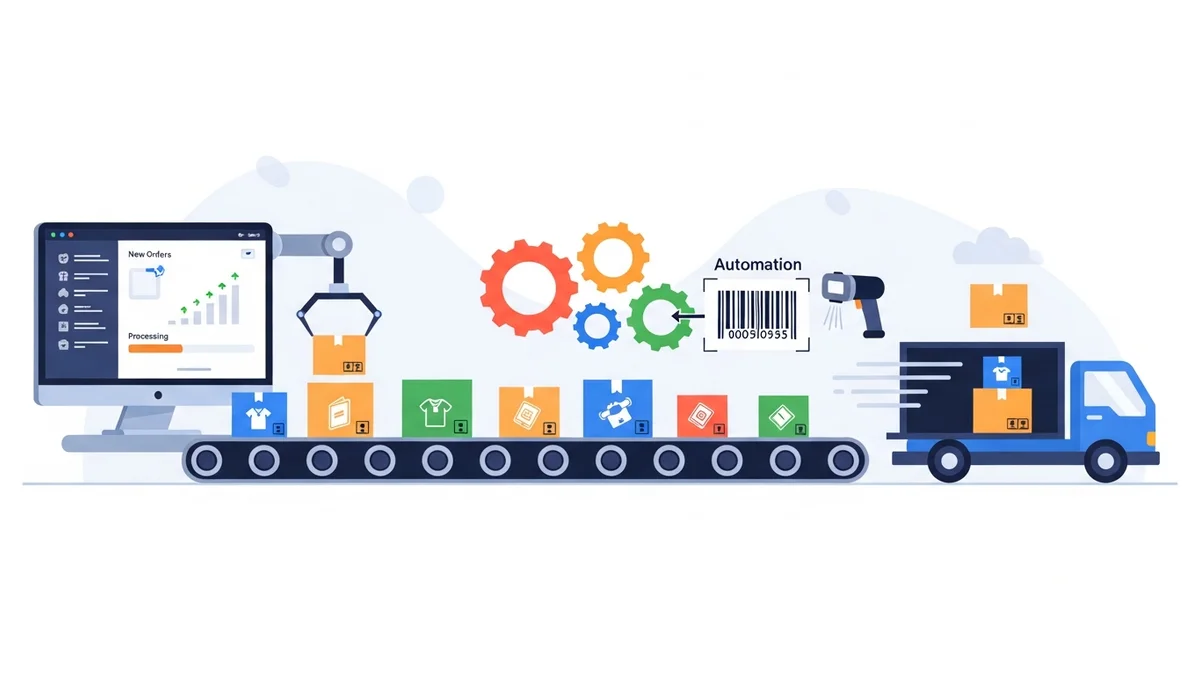
In today's competitive e-commerce landscape, WooCommerce shipping automation is no longer a luxury but a necessity, especially during peak season. It’s the cornerstone of efficient, error-free fulfilment, allowing businesses to scale operations without proportionally increasing manual effort or staffing.
Automation means delegating repetitive, time-consuming tasks to intelligent systems. This frees up your team to focus on more complex problem-solving, quality control, and strategic initiatives. For a deeper dive into overall fulfilment strategies, you might find our related article, "How to Automate Your WooCommerce Fulfilment Workflow for Peak Efficiency," particularly insightful.
During peak season, automation directly translates to:
- Accelerated Processing: Orders move from "processing" to "shipped" much faster.
- Reduced Human Error: Automated data transfer minimises mistakes inherent in manual entry.
- Cost Savings: Less time spent on manual tasks means lower labour costs and fewer re-shipments due to errors.
- Improved Customer Satisfaction: Timely and accurate deliveries build trust and encourage repeat business.
Pre-Peak Season Preparations: Laying the Groundwork
Success during the holiday rush is largely determined by the groundwork laid well in advance. Proactive planning and preparation are crucial for seamless WooCommerce fulfilment.
Inventory Management and Forecasting
Accurate inventory forecasting is paramount. Leverage past sales data, especially from previous peak seasons, to predict demand for your most popular products. Ensure you have sufficient buffer stock to accommodate unexpected surges without overselling.
- Historical Data Analysis: Review sales from previous peak seasons to identify trends and popular items.
- Supplier Communication: Confirm lead times and stock availability with your suppliers, placing orders early.
- Safety Stock: Maintain a strategic level of safety stock to prevent stockouts of high-demand items.
- Warehouse Organisation: Optimise your warehouse layout for efficient picking, especially for fast-moving products.
Carrier Strategy and Communication
Don't wait until the last minute to solidify your shipping carrier strategy. Diversify if possible, and establish clear communication channels with your primary carriers. Understand their peak season surcharges, cutoff times, and any potential service guarantees or limitations.
- Understand Carrier Deadlines: Be aware of holiday cutoff dates for guaranteed delivery to communicate accurate expectations to customers.
- Negotiate Rates: If volume allows, discuss peak season rates and capacity with your account manager.
- Contingency Planning: Identify backup carriers or services in case of unexpected delays with your primary provider.
Workflow Optimisation and Technology Audit
Before the storm hits, conduct a thorough review of your existing WooCommerce fulfilment workflows. Identify any manual bottlenecks that could be automated or streamlined. This is also the ideal time to ensure all your shipping and automation tools are up-to-date and configured correctly.
- Process Mapping: Document your current order-to-shipment process to spot inefficiencies.
- Software Updates: Ensure all WooCommerce plugins, especially those related to shipping and export, are updated to their latest versions.
- Staff Training: Train new and existing staff on peak season procedures and any new automation tools.
Automating Your Shipping Data Export for Label Creation
One of the biggest time sinks during peak season is the manual creation of shipping labels. Automating this critical step can save hours daily, allowing your team to process significantly more orders without burnout.
Leveraging CSV Export for Efficient Label Processing
The ability to export order data in a carrier-specific format for bulk label generation is a game-changer. Instead of individually entering recipient details into a carrier's portal, a single CSV file can contain dozens or even hundreds of orders, ready for processing.
For Australian WooCommerce store owners, the WooCommerce Australia Post CSV Export Pro plugin offers a powerful solution to automate shipping data export for labels. This plugin allows you to export all your "Processing" WooCommerce orders directly into a CSV file tailored to Australia Post's exact specifications. You simply upload this file to the Australia Post Business Portal, and all your shipping labels are generated in bulk, ready for printing. This eliminates tedious copy-pasting, drastically speeding up your label creation process.
During peak season, this means:
- Rapid Processing: Exporting hundreds of orders takes minutes, not hours.
- Reduced Manual Error: Data is pulled directly from WooCommerce orders, minimising transcription mistakes.
- Consistent Formatting: The plugin ensures data meets Australia Post's strict requirements, preventing upload errors.
- Flexible Service Selection: Easily select Parcel Post or Express Post for domestic orders, or Standard/Express for international, either globally or per-order before export.
Streamlining Order Data Management
Beyond basic address information, effective automation relies on accurate and comprehensive order data. The right tools can enrich this data and prepare it for carrier systems.
- Accurate Product Weights & Dimensions: Ensure all product listings in WooCommerce have correct weights. The plugin automatically calculates total parcel weight from individual product weights in the order. This is crucial for accurate shipping costs and avoiding surcharges. If product weights are missing, it defaults to a sensible 0.5kg, but accurate data is always best.
- Automated Customs Declarations: For international shipments, customs declarations are a notorious bottleneck. Solutions like the WooCommerce Australia Post CSV Export Pro plugin automatically populate parcel contents, values, weights, and country of origin from your WooCommerce order data into the export file. This saves immense time and reduces errors associated with manual customs form completion, which is vital during periods of high international order volume.
- Consolidated Export: The ability to export both domestic and international orders in a single, combined CSV file further streamlines your workflow, especially when managing diverse customer bases.
Optimising Your WooCommerce Fulfilment Workflows
Beyond label generation, comprehensive WooCommerce fulfilment optimisation involves refining every step of your order processing pipeline to handle peak demand efficiently.
Efficient Order Processing and Pick-and-Pack Strategies
How you organise your picking and packing operations can dramatically impact throughput. Implement strategies that minimise movement and maximise efficiency.
- Batch Picking: Group orders by common items or location within your warehouse to reduce travel time.
- Zone Picking: Assign specific areas of the warehouse to individual pickers for large operations.
- Smart Packaging: Standardise packaging where possible. Tools that calculate parcel dimensions from product data (e.g., using maximum product dimensions) can help pre-select appropriate packaging, including Australia Post satchels (Extra Small to Extra Large) or your own boxes.
- Dedicated Packing Stations: Set up ergonomic and well-stocked packing stations to facilitate quick and accurate packing.
Managing Customer Expectations and Communication
Transparency is key during peak season. Proactively communicate potential delays and set realistic delivery expectations to manage customer satisfaction, even when unforeseen issues arise.
- Clear Shipping Policies: Update your website with clear information on holiday shipping deadlines, potential delays, and return policies.
- Proactive Updates: Use automated email sequences (or manual updates if automation isn't in place for this specific step) to inform customers about order status, especially if there are unexpected delays.
- Customer Service Preparedness: Equip your customer service team with FAQs and clear guidelines for handling common peak season inquiries about shipping and delivery.
Post-Shipment Automation and Tracking
While the WooCommerce Australia Post CSV Export Pro plugin focuses on the pre-shipment export process, the wider fulfilment workflow benefits from post-shipment automation. Although the plugin doesn't directly send tracking numbers or status updates, having a process in place to retrieve and communicate these is crucial for customer satisfaction.
After uploading your CSV and generating labels in the Australia Post Business Portal, you'll gain access to tracking information. Integrating this (via other plugins or manual updates) back into WooCommerce allows you to efficiently notify customers that their order has shipped and provide them with a tracking number. This proactive communication reduces "where is my order?" inquiries, especially vital during the busy holiday period.
Real-World Applications and Best Practices
Let's look at how these automation principles translate into practical, day-to-day operations during peak season for WooCommerce fulfilment.
Scenario 1: Daily Bulk Shipping Operations
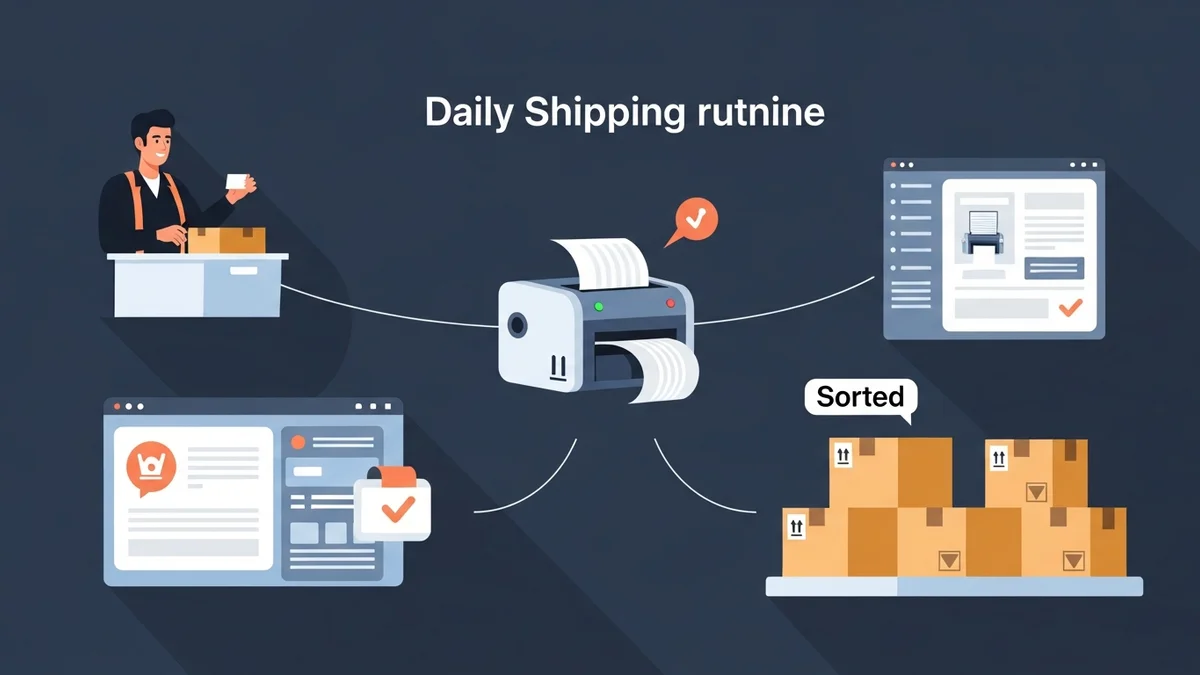
Imagine your store receives hundreds of orders overnight. Instead of spending hours manually inputting addresses into the Australia Post portal, you use the WooCommerce Australia Post CSV Export Pro plugin. First thing in the morning, you navigate to the plugin's interface, review all "Processing" orders in their domestic and international tables, perhaps making a few quick adjustments (e.g., ensuring a fragile item is marked for signature on delivery). With a single click, you export all orders as a combined CSV file. This file is then uploaded to the Australia Post Business Portal, and within minutes, hundreds of shipping labels are generated, ready for your packing team to print and affix. This significantly accelerates your daily dispatch, allowing earlier carrier pickups.
Scenario 2: Handling Express Upgrades for Priority Customers
During peak season, some customers may opt for express shipping at the last minute. With an automated export solution, you can easily manage these. Before generating your CSV export, you can quickly filter or review orders. For priority customers who paid for Express Post, you can confirm or select the Express Post service for their specific order directly within the plugin's interface. When you export, their order details will be correctly formatted for Express Post, ensuring they receive the priority service they paid for, all without manual data entry.
Scenario 3: Streamlining International Shipments
International orders often complicate peak season due to customs documentation. With the right automation, this becomes seamless. As international orders come in, the plugin automatically gathers product details, weights, and values from your WooCommerce order data. When you export international orders (either separately or combined with domestic), the CSV file includes all necessary customs declaration information, pre-filled and correctly formatted. This eliminates the need for manual customs form completion, a huge time-saver and error reducer, especially for high volumes of cross-border shipments.
Best Practices for Continuous Improvement:
- Test Regularly: Before peak season, run test exports and uploads to ensure everything is configured correctly.
- Monitor Performance: Track key metrics like processing time, error rates, and shipping costs to identify areas for ongoing improvement.
- Gather Feedback: Solicit feedback from your fulfilment team on workflow efficiencies and bottlenecks.
- Stay Updated: Keep your WooCommerce core and all plugins, especially shipping automation tools, updated to benefit from the latest features and security patches.
Related Articles
Continue your learning with these related resources:
- The Complete Guide to WooCommerce Shipping for Australian Stores (Comprehensive Guide)
- How to Configure Default Shipping Service and Packaging in WooCommerce for Australia Post
- How to Customize Your Australia Post WooCommerce Export Table Columns
- How to Set Up Sender Details in WooCommerce for Australia Post CSV Export
- How to Set Up WooCommerce Product Weights for Accurate Australia Post CSV Export
- How to Set Signature on Delivery and Extra Cover Defaults for Australia Post WooCommerce Exports
Conclusion
Navigating peak season in WooCommerce fulfilment doesn't have to be a source of stress and inefficiency. By embracing WooCommerce shipping automation, particularly for critical steps like bulk label generation, businesses can transform their operations. Tools that automate shipping data export for labels and streamline the entire WooCommerce fulfilment process are invaluable for saving time, reducing costly errors, and ultimately delivering an exceptional customer experience, even under immense pressure.
Proactive planning, strategic use of technology, and continuous optimisation are your strongest allies. Implement these expert recommendations to not only survive but thrive during the holiday rush, setting your e-commerce business up for sustained success.