Introduction
For marketing professionals managing e-commerce stores, attracting new customers is just the first step. The real challenge, and opportunity, lies in converting those initial purchases into lasting customer relationships. This process begins with understanding who your first-time buyers are and engaging with them effectively from the outset. Creating a dedicated first-time buyer segment in Campaign Monitor allows you to tailor your communication, making every interaction highly relevant and impactful for your new WooCommerce customers.
This tutorial will guide you through the precise steps to identify and segment your new WooCommerce customers within Campaign Monitor. By leveraging robust data synchronization between your e-commerce platform and email marketing tool, you can unlock personalised strategies that drive repeat purchases, enhance customer lifetime value, and build stronger brand loyalty.
Why Segment First-Time Buyers?
First-time buyers represent a unique and valuable demographic within your customer base. Their initial purchase is a strong indicator of interest, but their loyalty is not yet solidified. Without proper nurturing, many may not return for a second purchase. Segmenting them separately allows for highly specific marketing efforts that address their immediate needs and encourage further engagement.
Targeting first-time buyers with a dedicated strategy offers several compelling benefits for your marketing campaigns and overall business growth:
- Personalised Onboarding: Deliver a warm welcome that reinforces their purchase decision, introduces them to your brand story, and provides essential information about their new product or service.
- Drive Second Purchases: Implement targeted campaigns designed to encourage a crucial second transaction, which significantly increases the likelihood of long-term customer loyalty.
- Gather Feedback: Solicit early feedback on their initial experience, allowing you to identify areas for improvement and show customers their opinions are valued.
- Build Brand Affinity: Showcase your unique selling propositions, highlight other relevant products, and educate them on how to make the most of their purchase, strengthening their connection to your brand.
- Optimise Marketing Spend: Focus your resources on a highly engaged audience segment with a clear path to conversion, improving the ROI of your email marketing efforts.
Prerequisites: Connecting WooCommerce to Campaign Monitor
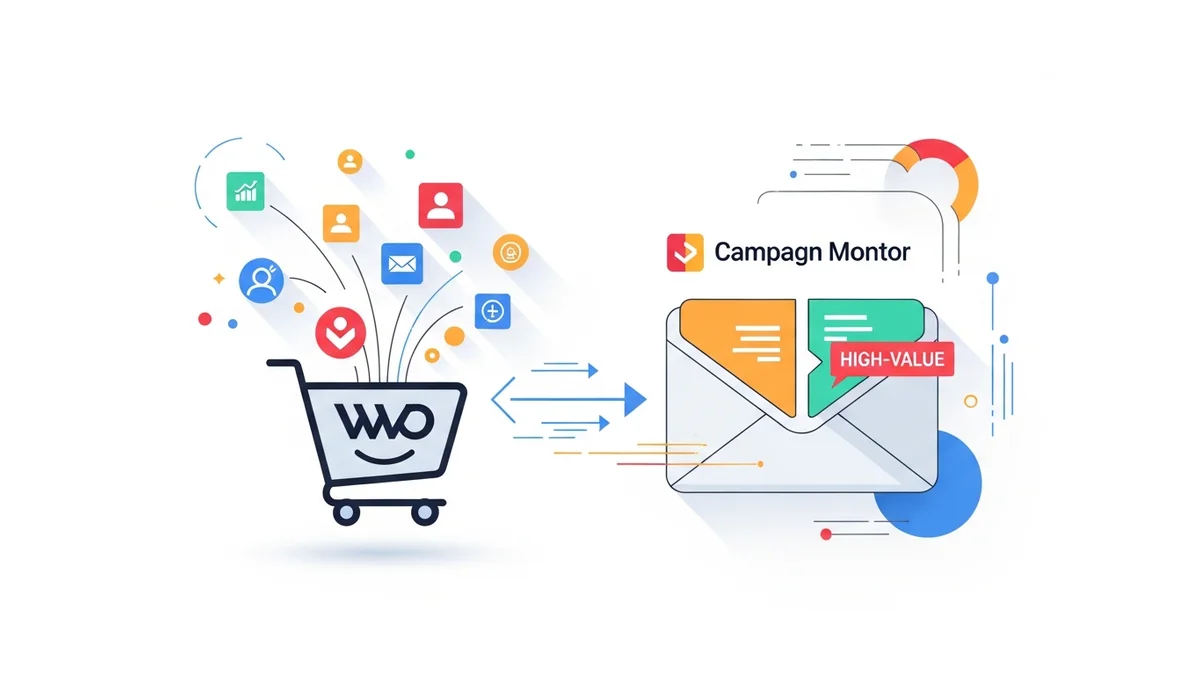
Before you can segment first-time buyers, you need a reliable method to sync your WooCommerce customer data to Campaign Monitor. A robust integration or data sync solution is essential for transferring critical customer profile information, such as name, email, and other demographic details, into custom fields within your Campaign Monitor subscriber lists. It's important to clarify that standard Campaign Monitor integrations for WooCommerce typically sync customer profile data only; detailed purchase history, order data, and engagement patterns are generally NOT synced directly to Campaign Monitor. Therefore, to effectively segment first-time buyers, you will need a separate mechanism or custom development to calculate and push a 'Total Orders' or 'Purchase Count' value from your WooCommerce store into a custom field within Campaign Monitor. This custom field will then serve as the basis for your segmentation.
Ensuring Data Sync Accuracy
The effectiveness of your first-time buyer segment hinges on the accuracy and completeness of the data synced from WooCommerce. Verify that your integration solution correctly maps key customer attributes to custom fields in Campaign Monitor. For identifying first-time buyers, the most crucial data point is typically a custom field that tracks the total number of orders a customer has placed, or a similar metric like purchase count or lifetime orders. This field will be central to defining your segment rules.
Confirm that this custom field is properly updated with each new purchase. For example, when a customer places their first order, this field should populate with "1". Upon their second order, it should update to "2", and so on. This continuous data flow ensures your segments remain dynamic and accurate.
Step-by-Step Guide: Creating Your First-Time Buyer Segment
Once your WooCommerce data is reliably syncing to Campaign Monitor, you can proceed with creating the segment. Follow these steps to set up a dynamic segment that automatically includes all new customers who have made exactly one purchase from your store.
Step 1: Access Your Campaign Monitor Account
Log in to your Campaign Monitor dashboard. Ensure you have the necessary permissions to manage lists and create segments within your account. The dashboard provides an overview of your campaigns and subscriber activity.
Step 2: Navigate to Lists & Subscribers
From the main navigation menu, locate and click on "Lists & subscribers." This section is where all your customer data is stored and managed. It's the central hub for subscriber management.
Step 3: Select Your Primary Customer List
You will see a list of all your subscriber lists. Click on the list that contains your WooCommerce customer data. This is typically your main customer list where all purchasing customers are added and their details updated through your e-commerce integration.
Step 4: Create a New Segment
Within your selected list, look for the "Segments" tab or option, usually located near the top of the page alongside "Subscribers." Click on it, then select the option to "Create a new segment" or "Add a segment." This action will open the segment builder interface.
Step 5: Define Segment Rules for First-Time Buyers
This is the most critical step. You will set the criteria that Campaign Monitor uses to identify subscribers as first-time buyers. The rule will typically involve a custom field that tracks the number of purchases.
In the segment builder, you will need to:
- Click "Add a rule" to start defining your criteria.
- From the dropdown menu that lists your custom fields, select the field that holds the total number of orders or purchase count for each customer. This field name will vary depending on your integration, but common examples might be "Total Orders," "Order Count," "Purchases_Made," or similar.
- Choose the operator "is equal to" from the next dropdown.
- In the value field, enter "1". This condition precisely targets customers who have made exactly one purchase.
This rule ensures that only subscribers whose synced "Total Orders" custom field equals one are included in this segment. As soon as a customer makes a second purchase, their "Total Orders" field will update to "2", and they will automatically be removed from the "First-Time Buyers" segment and can be added to a "Repeat Buyers" segment, if you have one.
Step 6: Name and Save Your Segment
Give your segment a clear and descriptive name, such as "WooCommerce First-Time Buyers," "New Customer Segment," or "One-Time Purchasers." A good name helps you easily identify and select this segment for future campaigns.
After naming, click "Save segment" or "Create segment." Campaign Monitor will then process your list based on the rules you've defined and populate the segment. This initial population may take a few moments depending on the size of your list.
Step 7: Verify Segment Population
Once the segment is saved, check the segment's subscriber count to ensure it's populating correctly. You can often click on the segment name to view the subscribers currently included. This verification step confirms that your rules are correctly identifying your first-time buyers and that your data synchronization is working as expected.
Leveraging Your First-Time Buyer Segment
With your first-time buyer segment established, you can now deploy highly effective, targeted campaigns designed specifically for this crucial group. Here are several strategies to maximise the impact of your new segment:
Personalised Welcome Series
Automate a welcome series that triggers immediately after a customer makes their first purchase. This series should go beyond a simple transaction confirmation. Use it to:
- Reinforce Brand Values: Share your brand story, mission, and what makes your products unique.
- Provide Product Education: Offer tips, tutorials, or guides on how to get the most out of their recent purchase.
- Introduce Other Products: Gently suggest complementary items or popular products that align with their initial purchase.
- Set Expectations: Inform them about future communication, loyalty programs, or how to reach customer support.
Exclusive First-Purchase Offers
To encourage that critical second purchase, consider offering an exclusive incentive to your first-time buyers. This could be a discount on their next order, free shipping, or a small gift with their next purchase. Frame it as a special thank you for joining your customer family. Campaigns with these offers can be set to trigger a few weeks after their initial purchase, giving them time to experience their first product.
Feedback Requests
After a reasonable period (e.g., 1-2 weeks), send a polite email requesting feedback on their first purchase experience. This shows you value their opinion and helps you gain insights into customer satisfaction. You can link to a short survey or simply ask for direct replies. This also provides another touchpoint to keep your brand top-of-mind.
Targeted Product Recommendations
To create highly relevant product recommendations, leverage insights from their first purchase. If they bought a specific type of product, suggest accessories, upgrades, or related items. Campaign Monitor's personalisation features can dynamically insert these recommendations into your emails, making them feel bespoke and helpful.
Best Practices for Nurturing New Customers
Effective engagement with first-time buyers extends beyond the initial segment creation. Implement these best practices to cultivate long-term loyalty:
- Timeliness is Key: Send welcome emails immediately after purchase. Follow-up emails should be strategically timed to prevent overwhelming them while keeping your brand present.
- Segment Refinement: Continuously monitor your segment's performance. As customers make a second purchase, ensure they automatically move out of the "First-Time Buyers" segment and into a "Repeat Buyers" segment, where different nurturing strategies apply.
- Test and Optimise: A/B test different subject lines, email content, calls-to-action, and send times within your first-time buyer campaigns to discover what resonates best with your audience.
- Integrate with Other Channels: Consider how your email campaigns can complement other marketing efforts, such as retargeting ads or social media outreach, to create a cohesive customer journey.
- Focus on Value: Every email should offer value, whether it's product education, an exclusive offer, or helpful content. Avoid sending promotional emails just for the sake of it.
Related Articles
Continue your learning with these related resources:
- The Complete Email Marketing Guide for WooCommerce Stores Using Campaign Monitor (Comprehensive Guide)
- How to Run a Black Friday Email Campaign for Your WooCommerce Store in Campaign Monitor
- What Email List Opt-in Incentives Work Best for WooCommerce Stores
- How to Create a Win-Back Email Campaign for Lapsed WooCommerce Customers in Campaign Monitor
- How to Re-Engage WooCommerce Customers Who Never Opted in to Your Email List
- How to Reduce WooCommerce Customer Churn with Targeted Retention Emails in Campaign Monitor
Conclusion
Creating a first-time buyer segment in Campaign Monitor for your WooCommerce customers is a fundamental strategy for any e-commerce business aiming for sustainable growth. By precisely identifying and engaging with new customers through targeted email campaigns, you can significantly increase the likelihood of repeat purchases, build stronger brand loyalty, and maximise customer lifetime value. This step-by-step guide empowers marketing professionals to transform initial transactions into enduring customer relationships, laying the groundwork for a highly successful and personalised e-commerce marketing strategy.