Introduction
Running a successful home-based e-commerce business on WooCommerce brings immense satisfaction, but it often comes with a hidden challenge: managing shipping efficiently. For small business owners, every minute spent on manual tasks like copying customer addresses into Australia Post's portal is a minute taken away from product development, marketing, or family time. This struggle is common, but solutions exist.
This case study illustrates how a dedicated home-based seller of handcrafted jewellery can transform their shipping process. By embracing a strategic CSV export solution for their Australia Post shipments, they can dramatically reduce shipping time, proving that even small businesses can achieve significant operational efficiencies.
The Shipping Headache: The Manual Grind
An online jewellery store, founded a few years ago, quickly grew into a thriving business, receiving dozens of orders each week. While crafting unique pieces was a passion, the post-sale process of getting them to customers became a significant burden.
The routine is familiar to many small business owners: every evening, after packing orders, they would manually copy each customer's name, address, and parcel details from WooCommerce into the Australia Post Business Portal. This repetitive task is not only mind-numbingly tedious but also highly prone to errors.
Many sellers find themselves spending hours every second day just on shipping. This can be exhausting, especially after a full day of product creation, customer inquiries, and website management. A single typo in an address can mean a delayed or lost parcel, leading to frustrated customers and more administrative work. This manual approach to WooCommerce Australia Post shipping is often unsustainable.
The Bottleneck of Manual Data Entry
The biggest time sink for many sellers is the constant switching between their WooCommerce admin panel and the Australia Post portal. For each order, they often have to:
- Open the order in WooCommerce.
- Note down the customer's name and full shipping address.
- Identify the products, calculate the total weight, and decide on packaging.
- Navigate to the Australia Post Business Portal.
- Manually type in all recipient details, parcel information, and select shipping options.
- Repeat for every single order.
This process is not only slow but also stressful. As order volume grows, the hours dedicated to shipping start to eat into creative time and the ability to focus on growing the business. Sellers realise they need a more efficient way to handle their Australia Post WooCommerce integration.
The Search for Smarter WooCommerce Australia Post Shipping
Determined to reclaim their time, sellers often begin searching for solutions. They know there has to be a better way to connect their WooCommerce store with Australia Post's shipping services without manual data entry. Their search focussed on terms like "australia post woocommerce," "australia post plugin," and "woocommerce australia post shipping automation."
Many sellers explore various options, but some seem overly complex, expensive, or don't directly address the core need: bulk processing. What is truly needed is a way to take WooCommerce order data and quickly transform it into a format Australia Post can understand for efficient bulk label creation *within their portal*.
During their research, many stumble upon the concept of CSV export for shipping. This method involves exporting order data into a spreadsheet file (CSV) that can then be uploaded to Australia Post's system, allowing for bulk label printing *from there*.
A Game-Changer: WooCommerce Australia Post CSV Export Pro
Many sellers discover the WooCommerce Australia Post CSV Export Pro plugin. This solution, specifically designed for Australian e-commerce store owners shipping with Australia Post, often catches their eye. It promises to simplify the entire process of preparing data for bulk shipping label creation by exporting WooCommerce orders directly to CSV files compatible with the Australia Post Business Portal.
The plugin's description highlights several key benefits that resonate with common challenges:
- Save Hours of Manual Work: The promise of exporting dozens or hundreds of orders with a single click is incredibly appealing, directly addressing the biggest time sink.
- Flexible Shipping Options: It supports both Parcel Post and Express Post, along with various Australia Post satchels and the option for own packaging, giving users the control they need.
- Full International Support: As many online stores occasionally receive international orders, the automatic generation of customs declarations is a huge bonus, eliminating another manual chore.
- Professional Shipping Workflow: The plugin organises "Processing" orders into clear domestic and international tables, allowing for quick review and adjustments before export.
This isn't just another Australia Post plugin; it's a comprehensive tool built for efficiency, specifically for the Australian market. It perfectly fits the requirement for bulk processing without complex API integrations that some sellers aren't ready to manage.
Seamless Integration and Daily Workflow
Implementing the WooCommerce Australia Post CSV Export Pro plugin is surprisingly straightforward for many users. As a non-technical user, one can appreciate the clear instructions and intuitive interface. Once installed, users can configure their sender details and default shipping preferences, such as choosing Australia Post Parcel Post as their standard domestic service.
Streamlining Daily Shipping Tasks
Here's how a typical daily shipping workflow can be transformed:
- Reviewing Orders: Instead of navigating individual WooCommerce orders, users can open the plugin's dashboard. Here, all their "Processing" orders are neatly displayed in organised domestic and international tables. They can quickly scan through them, making any necessary adjustments like upgrading a specific order to Express Post for a customer who paid for expedited shipping.
- Automated Data Population: The plugin automatically pulls all necessary shipping information directly from WooCommerce orders. This included customer names, addresses, and even calculated parcel weights based on the product data entered in WooCommerce. If a product weight is missing, a sensible default weight is applied, preventing errors.
- Customs Declarations for International Orders: For international shipments, the plugin automatically generates customs declarations, pre-filling parcel contents, values, weights, and country of origin. This alone can save significant time and prevent potential customs delays.
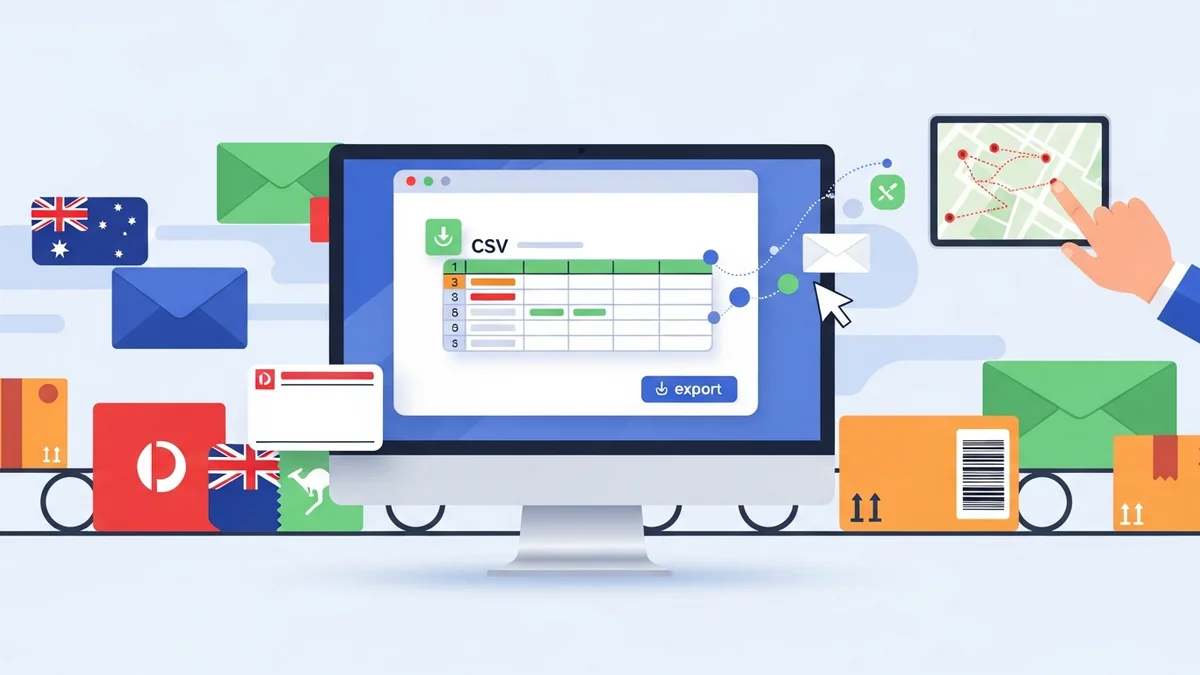
- One-Click CSV Export: With a single click, users can export all their domestic orders, international orders, or even a combined CSV file. The plugin formats the data perfectly to Australia Post's exact specifications, removing any guesswork or manual formatting errors.
- Bulk Label Generation: Once the CSV file is downloaded, users simply upload it to their Australia Post Business Portal. Within minutes, they can print all their shipping labels in bulk, ready to be attached to their carefully packaged items.
Related Articles
Continue your learning with these related resources:
- The Complete Guide to WooCommerce Shipping for Australian Stores (Comprehensive Guide)
- How to Configure Default Shipping Service and Packaging in WooCommerce for Australia Post
- How to Customize Your Australia Post WooCommerce Export Table Columns
- How to Set Up Sender Details in WooCommerce for Australia Post CSV Export
- How to Set Up WooCommerce Product Weights for Accurate Australia Post CSV Export
- How to Set Signature on Delivery and Extra Cover Defaults for Australia Post WooCommerce Exports