Introduction
Managing shipping for an online store can quickly become a bottleneck, especially as your WooCommerce business grows. Manually entering customer details into the Australia Post portal for every order is time-consuming, prone to errors, and simply not scalable.
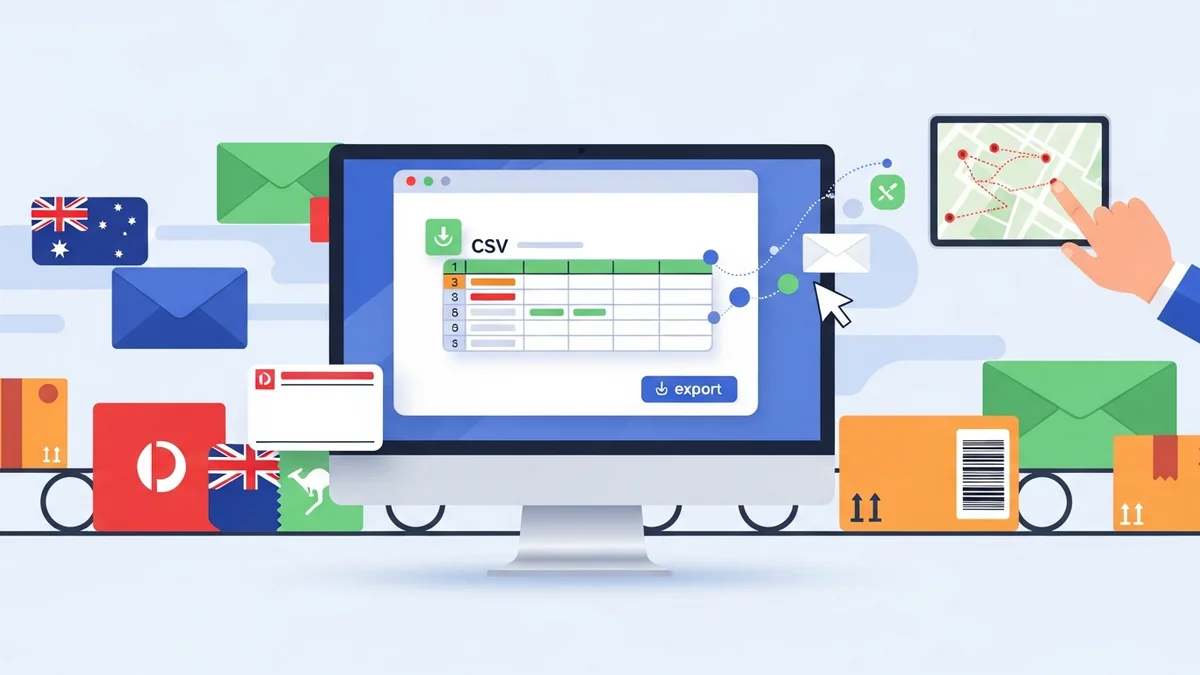
Fortunately, there's a powerful solution for WooCommerce store owners: exporting your order data directly into Australia Post's preferred CSV format. This method allows you to process dozens, even hundreds, of orders for bulk label generation in a fraction of the time, making your Australia Post WooCommerce shipping workflow significantly more efficient.
The Challenge of Manual WooCommerce Shipping
Imagine processing 50 orders a day. If each order takes just a few minutes of data entry into the Australia Post Business Portal, you're looking at hours spent solely on shipping administration. This manual process isn't just a drain on your time; it also introduces several risks:
- Time-Consuming: Repetitive data entry takes away from other crucial business activities like marketing or product development.
- Prone to Errors: Copy-pasting addresses, names, and parcel details can easily lead to typos, resulting in misdirected parcels or frustrated customers.
- Scalability Issues: As order volumes increase, manual processing becomes unsustainable, limiting your growth potential.
- Inconsistent Information: Without a standardized process, details might be missed, affecting tracking or delivery options.
These challenges highlight the urgent need for a more automated and reliable way to handle your Australia Post shipping needs directly from your WooCommerce store.
How Australia Post CSV Export Streamlines Your Workflow
The core benefit of using a dedicated Australia Post CSV export tool for WooCommerce is its ability to bridge the gap between your online store's order data and Australia Post's bulk upload system. Instead of manual entry, you generate a single, comprehensive CSV file containing all necessary shipping information for your "Processing" orders.
This approach offers numerous advantages for your Australia Post WooCommerce integration:
- Save Significant Time: Process large batches of orders for label generation in minutes, not hours. This is especially useful during peak seasons or daily shipping routines.
- Reduce Errors: Automate data transfer directly from your WooCommerce orders, eliminating manual typing mistakes and ensuring accurate shipping details.
- Handle Domestic & International Orders Seamlessly: Easily prepare both local and overseas shipments, including automatically generated customs declarations for international parcels.
- Flexibility and Control: Select specific shipping services (e.g., Parcel Post, Express Post), packaging types (Australia Post satchels, boxes, or your Own Packaging), and add-ons like Signature on Delivery or Extra Cover on a per-order basis before export.
The WooCommerce Australia Post CSV Export Pro plugin by SauceCode is specifically designed to facilitate this exact workflow, enabling you to export your WooCommerce orders to Australia Post CSV format with ease.
Getting Started: Installing and Configuring Your Export Plugin
To begin streamlining your shipping, the first step is to get the WooCommerce Australia Post CSV Export Pro plugin set up in your store.
Step 1: Install the WooCommerce Australia Post CSV Export Pro Plugin
- Purchase and Download: After purchasing the WooCommerce Australia Post CSV Export Pro plugin from SauceCode, download the plugin ZIP file to your computer.
- Upload to WordPress: Log in to your WordPress admin dashboard. Navigate to Plugins > Add New.
- Upload Plugin: Click the "Upload Plugin" button at the top of the page. Choose the downloaded ZIP file and click "Install Now."
- Activate Plugin: Once installed, click "Activate Plugin." The plugin will now be active on your WooCommerce store.
You'll find the plugin's settings and export dashboard under WooCommerce > Australia Post Export in your WordPress admin menu.
Step 2: Initial Plugin Configuration – Sender Details and Defaults
Before your first export, it's essential to configure your sender details and preferred shipping defaults. This ensures all your exported orders have the correct origin information and automatically apply your most common shipping preferences.
- Access Settings: Go to WooCommerce > Australia Post Export > Settings.
- Enter Sender Details: Fill in your business's sender name, address, suburb, state, postcode, and contact details. These details are crucial for Australia Post and for international customs declarations.
- Set Shipping Defaults:
- Default Domestic Service: Choose your most frequent domestic shipping service, e.g., Parcel Post (PP) or Express Post (EXP).
- Default International Service: Select your common international service, e.g., Standard (STD) or Express (EXP).
- Default Packaging: Specify your most used packaging type. Options include Australia Post's various Satchels (XS, S, M, L, XL), Boxes (S, M, L, XL), or Own Packaging if you use your custom boxes.
- Default Tracking/Signature/Extra Cover: Decide if you want Tracking, Signature on Delivery, or Extra Cover to be selected by default for new orders. Remember, you can override these on a per-order basis later.
- Save Changes: Click "Save changes" to apply your configurations.
Setting sensible defaults here will significantly speed up your daily export routine, as you'll only need to adjust exceptions.
Exporting Your WooCommerce Orders to Australia Post CSV
Now that the plugin is installed and configured, you're ready to start exporting your WooCommerce orders to Australia Post CSV. This is where the magic of bulk processing happens.
Step 3: Accessing the Export Dashboard
Navigate to WooCommerce > Australia Post Export in your WordPress admin menu. This is your central hub for managing and exporting orders.
The dashboard presents a clear overview of all your WooCommerce orders currently in "Processing" status, neatly separated into two tables: one for domestic orders and one for international orders. This distinction is vital because international orders require additional customs information.
Step 4: Reviewing and Customizing Domestic Orders for Export
In the domestic orders table, you'll see a list of all Australian orders awaiting shipment. For each order, the plugin automatically gathers key information like the customer's name, address, and the total weight of the parcel (calculated from individual product weights in the order).
Before exporting, you have the flexibility to customize shipping options for each individual order:
- Shipping Service: Easily change the service from your default to either Parcel Post (PP) or Express Post (EXP). For example, if a customer paid for express shipping, you can quickly update that specific order.
- Packaging: Select the appropriate packaging type. This could be one of Australia Post's standard Satchels (XS, S, M, L, XL), Boxes (S, M, L, XL), or if you're using your own custom packaging, choose Own Packaging. The plugin even uses the maximum product dimensions from your order to help determine a suitable parcel size.
- Tracking Options: Enable or disable Tracking, request a Signature on Delivery, or add Extra Cover for valuable items. These options ensure your parcels are handled with the appropriate level of care and security.
This granular control ensures that each parcel meets customer expectations and Australia Post requirements, all within a single interface.
Step 5: Managing International Orders and Customs Declarations
The international orders table functions similarly but includes additional fields crucial for customs declarations. The WooCommerce Australia Post CSV Export Pro plugin takes care of generating these declarations based on your order data.
- International Services: Choose between Standard (STD) or Express (EXP) shipping for your international customers.
- Customs Information: For international shipments, accurate customs declarations are mandatory. The plugin automatically populates these details from your product information, including item descriptions, quantities, and values. It’s important to ensure your products in WooCommerce have accurate weights and values to facilitate this.
Handling international shipping manually can be complex due to varying customs requirements. The plugin simplifies this by preparing the necessary data, helping you comply with regulations and avoid shipping delays.
Step 6: Choosing Your Export Type and Downloading the CSV File
Once you've reviewed and adjusted your orders, it's time to generate the Australia Post CSV file. The plugin offers three flexible export options:
- Domestic Only: Exports only your Australian orders. Ideal for daily domestic shipping runs.
- International Only: Exports only your international orders, perfect for when you process overseas shipments separately.
- Combined CSV: Exports both domestic and international orders into a single CSV file. This is great for a consolidated daily export if you handle all shipments together.
Select your desired export type and click the "Export Orders" button. The plugin will then generate the Australia Post compatible CSV file and automatically download it to your computer. Remember, "CSV export" means downloading the file to your device, not sending data directly to Australia Post.
Step 7: Uploading the CSV to Australia Post Business Portal and Printing Labels
This is the final, critical step in the process, where the bulk label generation truly happens. It takes place *outside* of your WooCommerce store, within the Australia Post Business Portal.
- Log In: Access your Australia Post Business Portal account.
- Navigate to Bulk Upload: Look for the section related to "Send & Track" or "Bulk Upload" shipments.
- Upload CSV: Select the CSV file you just downloaded from your WooCommerce store. Follow the prompts to upload it.
- Generate & Print Labels: The Australia Post Business Portal will process your uploaded data, generate all your shipping labels in bulk, and allow you to print them. This is where you leverage the power of the CSV export to create multiple labels at once.
By following these steps, you transform a potentially hours-long task into a fast, efficient, and error-free operation. This seamless flow from WooCommerce order to printed Australia Post label is the hallmark of effective Australia Post WooCommerce shipping.
Advanced Tips for Efficient WooCommerce Australia Post Shipping
To maximize the benefits of your WooCommerce Australia Post CSV export workflow, consider these best practices:
- Maintain Consistent Product Data: Ensure all your WooCommerce products have accurate weights, dimensions, and for international items, clear descriptions and values. This data is automatically pulled into the export file, making customs declarations and parcel sizing accurate.
- Establish a Daily Export Routine: Make it a habit to export your "Processing" orders at a set time each day. This ensures timely dispatch and prevents orders from piling up. For example, export all orders received up to 9 AM, upload, print labels, and pack.
- Leverage Default Settings: Configure your plugin's default shipping service, packaging, and options to match your most common shipping methods. This minimizes the adjustments needed for individual orders, saving precious time.
- Utilize HPOS Compatibility: The WooCommerce Australia Post CSV Export Pro plugin is compatible with WooCommerce's High-Performance Order Storage (HPOS). This ensures your shipping workflow remains fast and reliable as WooCommerce evolves.
- Review Before Export: Even with automation, a quick glance over the orders in the export dashboard can catch any last-minute changes or ensure special requests (like express upgrades) have been applied correctly.
By implementing these tips, you'll not only streamline your Australia Post WooCommerce shipping but also enhance the overall efficiency of your store's fulfillment process.
Related Articles
Continue your learning with these related resources:
- The Complete Guide to WooCommerce Shipping for Australian Stores (Comprehensive Guide)
- How to Configure Default Shipping Service and Packaging in WooCommerce for Australia Post
- How to Customize Your Australia Post WooCommerce Export Table Columns
- How to Set Up Sender Details in WooCommerce for Australia Post CSV Export
- How to Set Up WooCommerce Product Weights for Accurate Australia Post CSV Export
- How to Set Signature on Delivery and Extra Cover Defaults for Australia Post WooCommerce Exports
Conclusion
Automating your WooCommerce shipping process with Australia Post CSV export is a game-changer for any online store owner. By eliminating manual data entry, reducing errors, and enabling bulk label generation, you free up valuable time that can be reinvested into growing your business.
The WooCommerce Australia Post CSV Export Pro plugin empowers you to manage domestic and international shipments with unparalleled ease, ensuring a smooth, reliable, and scalable fulfillment operation. Embrace this powerful tool to transform your Australia Post WooCommerce shipping from a chore into a seamless part of your daily routine.