Introduction
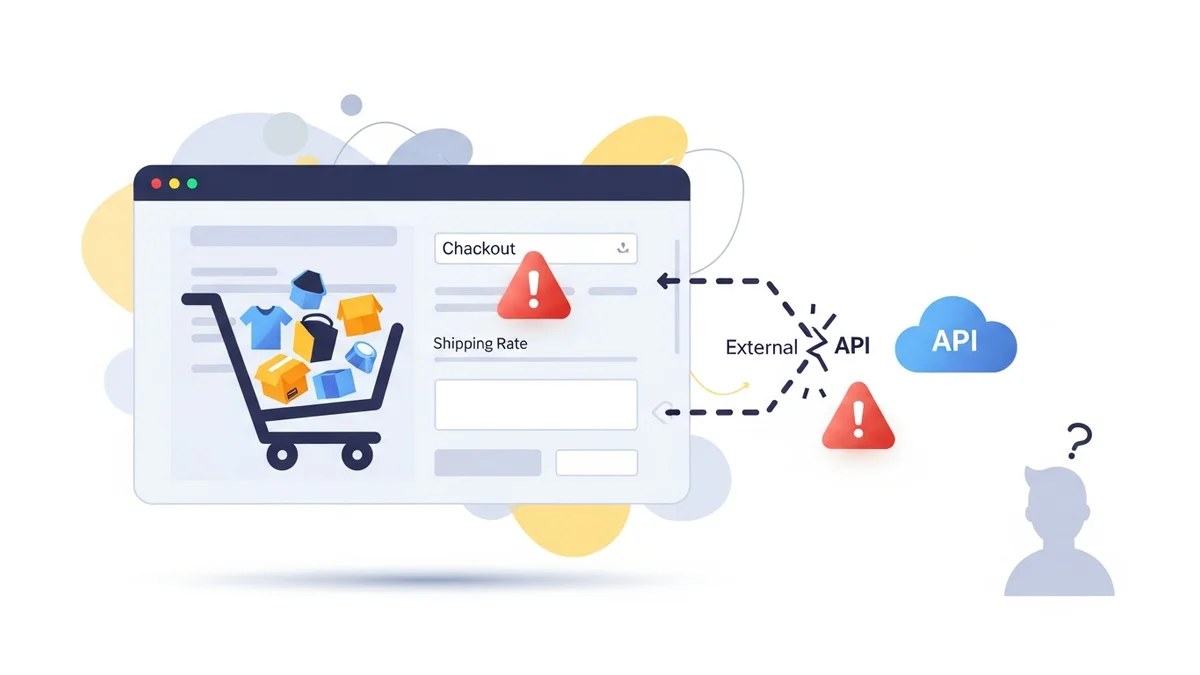
For any e-commerce store, accurate and reliable shipping rate calculation is the backbone of a smooth checkout experience. Most WooCommerce stores, especially those using complex shipping logic or real-time carrier rates, depend heavily on external shipping APIs. These are the invisible connections that link your store to services like Australia Post, allowing your customers to see precise shipping costs.
But what happens when this critical connection breaks? More importantly, what happens when it breaks, and you're the last to know? An unnoticed WooCommerce shipping API failure can cripple your checkout unexpectedly, leading to lost sales, frustrated customers, and a significant hit to your store's reputation.
The Invisible Lifeline: How WooCommerce Shipping Works
Many WooCommerce shipping plugins don't calculate rates themselves. Instead, they act as a bridge, sending customer address and cart data to a third-party shipping carrier's API (Application Programming Interface). This external API then processes the request and returns real-time shipping options and costs directly to your checkout page.
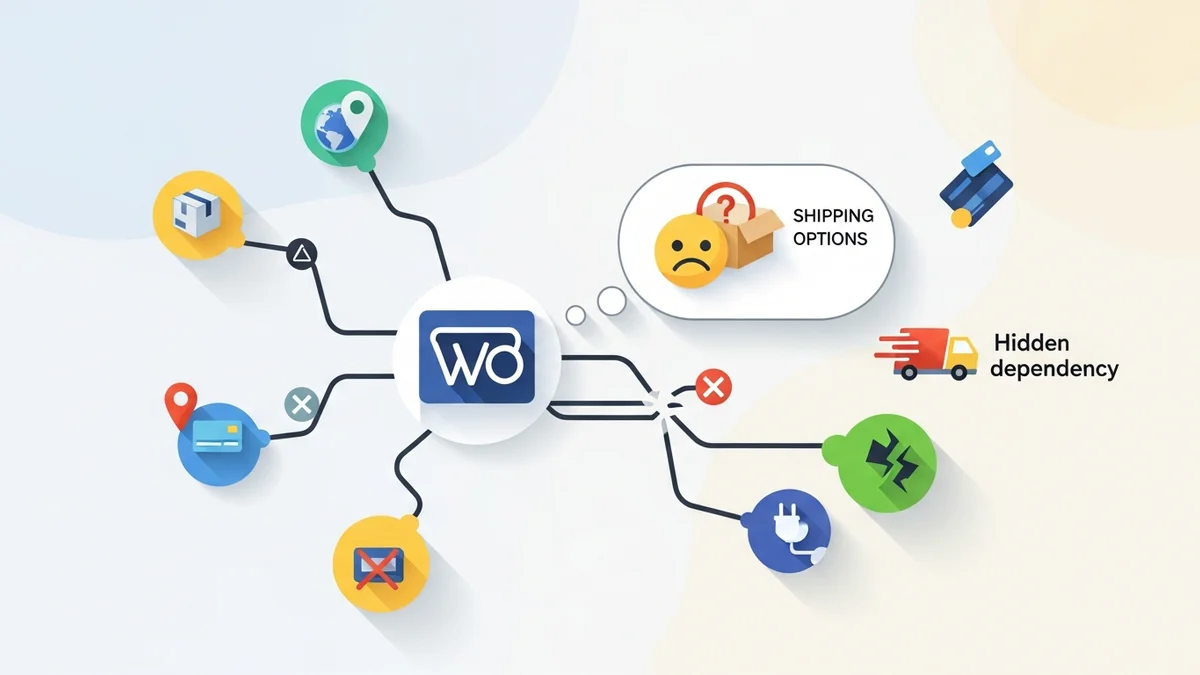
For instance, an Australia Post Shipping Method for WooCommerce plugin will query the Australia Post PAC API (Postage Assessment Calculator API) to fetch current postage rates. This process typically happens in milliseconds, making it seem seamless. However, this reliance on an external service creates a hidden dependency. If that WooCommerce third party shipping API becomes unreachable or your plugin is using a retired endpoint, your shipping rates will instantly disappear.
Why Do Shipping APIs Become Unreachable? Common Causes
Shipping API failures aren't always dramatic crashes. They can be subtle, intermittent, or even silent. Understanding the common causes helps demystify these critical dependencies:
- Carrier API Outages: The most straightforward reason. The shipping carrier's own servers might be down or experiencing maintenance.
- Plugin Using a Retired Endpoint: Carriers sometimes retire old API endpoints when transitioning to new ones. In April 2026, Australia Post retired their old PAC API endpoint at
/api/postage/, completing a transition to/postage/. Australia Post had responsibly run both endpoints during the transition period, giving plugin developers time to update. However, the official Australia Post Shipping Method for WooCommerce plugin, even at its most up-to-date version, wasn't updated to use the current endpoint. Sauce Code identified the root cause and notified the plugin developers, prompting the fix. - Network Connectivity Issues: Problems can arise between your hosting server and the carrier's API server.
- Rate Limiting and Throttling: Some APIs limit the number of requests a single client can make within a certain timeframe.
- Plugin Configuration Errors: Misconfigured API keys, incorrect service settings, or bugs in the shipping plugin itself can prevent successful communication.
- SSL/TLS Certificate Issues: Outdated SSL certificates can prevent secure communication, leading to connection errors.
The Customer's Nightmare: "No Shipping Options Available"
When a WooCommerce shipping API error occurs, the immediate consequence is felt by your customers at the checkout. Instead of seeing a list of shipping methods and prices, they are confronted with a stark and unhelpful message:
"There are no shipping options available. Please ensure that your address has been entered correctly, or contact us if you need any help."
This message is a conversion killer. Customers, already committed to purchasing and ready to pay, suddenly hit a roadblock. They might assume there's a problem with their address, their browser, or even your store itself. The natural reaction for many is frustration and abandonment.
The Store Owner's Blind Spot: Why You Don't Notice (Immediately)
This is where the real danger lies. Unlike a broken payment gateway that often throws a server error, a WooCommerce shipping rates disappeared scenario is often silent on the backend. Your site might appear perfectly fine from the administrator's perspective.
WooCommerce, by default, doesn't have a built-in mechanism to alert you when a third-party shipping API becomes unreachable. The error occurs within the shipping plugin's communication with the external service, and the result is simply an empty shipping options list. This means you typically discover the problem through one of two painful ways:
- Customer Complaints: A customer emails or calls, frustrated that they can't complete their order. This is reactive and means many others have likely already abandoned their carts.
- Decreased Sales & Abandoned Carts: You notice a sudden dip in sales or an unexplained spike in abandoned carts. By the time you investigate, hours, or even days, of lost revenue may have passed.
This discovery gap is critical. The longer an API failure goes unnoticed, the greater the damage to your business.
The Real Cost of Unnoticed API Failures
The impact of a silent WooCommerce shipping API failure extends far beyond just the immediate lost sale. Consider these hidden costs:
- Lost Revenue: Every abandoned cart due to missing shipping options is a direct loss of income.
- Damaged Brand Reputation and Customer Trust: A broken checkout makes your store look unprofessional and unreliable.
- Wasted Marketing Spend: If traffic hits a broken checkout, you're essentially paying to frustrate potential customers.
- Increased Customer Support Load: Frustrated customers will reach out for help, increasing the workload on your support team.
- Operational Delays and Manual Workarounds: Once you discover the problem, you might have to temporarily offer flat-rate shipping or manually calculate rates.
- Loss of Competitive Edge: In a competitive market, even a small disruption can send customers to a rival.
Proactive Monitoring: Shining a Light on Hidden Dependencies
The solution to the "blind spot" is proactive monitoring. You need a system that actively checks the health of these critical shipping APIs, notifies you immediately if there's a problem, and ideally, even attempts to mitigate the issue temporarily.
This is where a dedicated tool like WooCommerce Shipping Monitor Pro becomes invaluable. It's designed specifically to address the hidden dependency on external shipping services, ensuring you're never caught off guard by a shipping plugin stopped working WooCommerce scenario.
Here's how it helps:
- Immediate Alerts: WooCommerce Shipping Monitor Pro monitors the external API endpoints that your WooCommerce shipping plugins depend on. When an API endpoint becomes unreachable, including when your plugin is using a retired endpoint, it immediately alerts the store administrator via email. You know within minutes, not hours or days, that a problem exists.
- Proactive Health Checks: The plugin runs scheduled "health checks" against each monitored provider via WordPress native cron. These lightweight API requests verify that the endpoint is responding correctly, catching problems proactively before customers are affected.
- Last-Resort Fallback: As a safety net, if the active endpoint fails, the plugin attempts to cycle through previously known "fallback" endpoints. This can buy you crucial time in situations where your plugin is using a retired endpoint but an alternative is available, keeping your checkout working while you investigate and apply a proper fix.
- Comprehensive Logging: Every health check, alert, fallback attempt, and recovery event is logged to a custom database table. This "event log" provides a full history, viewable per provider in the WordPress admin.
- Clear Status Indicators: The plugin provides a Dashboard tab with status cards per provider, 30-day quick stats, and a recent events table, giving you an at-a-glance overview of your shipping API health.
By implementing such a monitoring solution, you transform a passive, reactive approach into a proactive, resilient strategy, safeguarding your revenue and customer experience.
Actionable Steps to Minimise Risk
- Implement Proactive Monitoring: Install a plugin like WooCommerce Shipping Monitor Pro. Configure email alerts to notify you immediately if an error is detected. Set up scheduled health checks to run frequently.
- Have a Fallback Shipping Method Ready: Always have a simple fallback shipping option, like a flat rate, configured in WooCommerce but disabled. If you receive an alert about a major shipping API outage, you can quickly enable this manual flat-rate option.
- Regularly Update Plugins: Keep your WooCommerce core, themes, and all plugins updated. However, as April 2026 showed, even the latest version may not be current with carrier endpoint changes, which is why monitoring is essential.
- Monitor Carrier Status Pages: Bookmark the status pages for your primary shipping carriers and check them if you suspect an issue.
- Test Your Checkout Periodically: Even with monitoring, it's good practice to occasionally run a test order through your checkout.
Related Articles
Continue your learning with these related resources:
- Why WooCommerce Shipping Breaks (And How to Stop It From Costing You Sales) (Comprehensive Guide)
- The Real Cost of Shipping Downtime for WooCommerce Stores
- Why "Set and Forget" Doesn't Work for WooCommerce Shipping Plugins
- What Automatic Endpoint Fallback Means for Your WooCommerce Store
- How to Get Email Alerts When Your WooCommerce Shipping API Has Issues
- Your WooCommerce Shipping Reliability Checklist for Peak Season
Conclusion
The hidden dependency on external shipping APIs is a significant vulnerability for any WooCommerce store. An unnoticed WooCommerce shipping API failure can sabotage your sales without you realising, erode customer trust, and cost you dearly. By understanding the causes and adopting a proactive monitoring strategy, you can transform this vulnerability into resilience.
Tools like WooCommerce Shipping Monitor Pro empower you to detect issues the moment they arise, providing crucial alerts and even temporary workarounds, ensuring your checkout remains open for business and your customers continue to have a smooth, reliable shopping experience.