Introduction
In today's competitive e-commerce landscape, simply collecting email addresses for your marketing list is no longer enough. To truly capture customer attention, drive conversions, and foster loyalty, businesses must move beyond basic email communication towards highly personalised experiences. This requires a deeper understanding of your customers, which can only be achieved by syncing richer data from your e-commerce platform.
For WooCommerce store owners utilising Campaign Monitor, the opportunity to enhance customer engagement is immense. The WooCommerce Campaign Monitor Pro plugin is designed to seamlessly sync essential customer profile data—such as name, email, phone, and billing address—from your WooCommerce store to Campaign Monitor. It's important to note that the plugin focuses exclusively on syncing this customer profile information. By strategically mapping these key WooCommerce customer fields to corresponding custom fields (which must first be created in Campaign Monitor), you can populate your subscriber lists with rich data. This empowers marketing professionals to leverage Campaign Monitor's robust features for creating dynamic segments and crafting messages that resonate on a much deeper level. It's important to remember that while the plugin provides this crucial subscriber data, Campaign Monitor itself handles the email delivery, automations, and segmentation based on this synced information.
The Power of Rich Customer Profiles
A rich customer profile is a comprehensive, continuously updated record of a customer's interactions, preferences, and demographic information. It goes beyond basic contact details, incorporating customer profile data that paints a fuller picture of who your customer is and what truly motivates them. For marketing professionals, these profiles are the bedrock of effective segmentation and personalisation.
When your Campaign Monitor list is populated with more than just an email address, you unlock unparalleled opportunities. You can segment subscribers based on geography, their contact details, or even their preferred way of being addressed. This allows you to move away from one-size-fits-all campaigns, delivering messages that feel uniquely tailored and relevant to each individual, ultimately boosting engagement rates and return on investment (ROI).
Essential WooCommerce Fields for Advanced Personalisation
Leveraging the capabilities of a robust integration like WooCommerce Campaign Monitor Pro allows for seamless synchronisation of critical customer profile data. It's crucial to remember that before you can map any WooCommerce fields, you must first create corresponding custom fields within your Campaign Monitor list. By mapping these fields, you empower your Campaign Monitor account with the insights needed for sophisticated targeting.
-
First Name & Last Name: The Foundation of Personal Connection
While seemingly basic, syncing a customer's first and last name is fundamental for genuine personalisation. Addressing a customer by their name in email subject lines, greetings, and body copy immediately fosters a sense of recognition and personal connection. It transforms a generic marketing message into a direct communication from your brand.
Practical Application: Imagine sending a welcome email series that starts with "Hi [First Name], welcome to [Your Store]!" or a birthday discount code that reads "Happy Birthday, [First Name]! Here's a treat from us." This simple yet powerful personalisation significantly increases open rates and click-through rates, making your customers feel valued and seen. The WooCommerce Campaign Monitor Pro plugin simplifies this by allowing you to map these name fields directly during setup.
-
Billing Country: Unlocking Geo-Targeted Campaigns
Knowing a customer's billing country is invaluable for international and multi-regional businesses. This data point enables geo-segmentation, allowing you to tailor offers, promotions, and content based on specific regional needs, holidays, or shipping considerations. It helps ensure your campaigns are relevant to local contexts.
Practical Application: You can create segments in Campaign Monitor for customers in the USA, Australia, or the UK. This allows you to promote country-specific sales events, adjust pricing for local currencies (if mentioned in the email), or highlight shipping benefits relevant to their location. For example, a campaign promoting "Free Shipping to Australian Customers This Week!" would only be sent to your Australian segment, preventing irrelevant offers for other regions. Syncing the "Billing Country" field via your WooCommerce Campaign Monitor Pro setup makes this level of targeting straightforward.
-
Billing State & City: Achieving Hyper-Local Precision
Taking geo-targeting a step further, syncing billing state and city provides even more granular data for hyper-local campaigns. This level of detail is particularly powerful for businesses with physical retail locations, local events, or region-specific product lines. It allows for highly precise and incredibly relevant marketing messages.
Practical Application: A fashion retailer with stores in Sydney and Melbourne could promote in-store events or exclusive local discounts directly to customers residing in those specific cities. A food delivery service could announce new restaurant partnerships or special offers only available in certain suburbs. By mapping "Billing State" and "Billing City" from WooCommerce to Campaign Monitor custom fields, facilitated by plugins like WooCommerce Campaign Monitor Pro, you can execute these highly targeted campaigns with ease, ensuring maximum relevance and impact for local customer segments.
-
Billing Phone Number: Expanding Multi-Channel Engagement
While Campaign Monitor is primarily an email platform, syncing a customer's billing phone number provides a crucial data point for broader multi-channel marketing strategies. Even if you're not using Campaign Monitor for SMS, having this data in your customer profile allows for seamless integration with other marketing tools or for direct customer service outreach when necessary.
Practical Application: For abandoned cart recovery, while emails are effective, a follow-up SMS (via a separate SMS marketing platform integrated with your data) can significantly boost recovery rates. Or, for high-value customers, a direct phone call for a personal touchpoint or exclusive offer becomes possible. Syncing the "Billing Phone Number" field ensures this valuable contact information is part of your enriched customer profiles, ready for strategic use across your marketing ecosystem, supported by the data synchronisation capabilities of WooCommerce Campaign Monitor Pro.
-
Customer Opt-in Timestamp: Understanding Engagement & Lifecycle
Although not a direct WooCommerce field, the date a customer opts into your mailing list (recorded by Campaign Monitor upon sync) is incredibly powerful. This "opt-in timestamp" or "date added" allows you to segment customers based on their lifecycle stage, delivering timed content that nurtures them from new subscriber to loyal customer. The WooCommerce Campaign Monitor Pro plugin ensures seamless and timely subscriber additions to Campaign Monitor.
Practical Application: You can leverage Campaign Monitor's automation features to set up welcome series that trigger immediately after a customer opts in, providing onboarding information, showcasing best-selling products, or offering a first-purchase discount. For customers who joined three months ago but haven't purchased, you might send a re-engagement campaign. This lifecycle-based segmentation, driven by the subscriber's date added to Campaign Monitor, is crucial for effective customer journey mapping and sustained engagement, all initiated by the plugin's efficient customer data sync.
Strategic Implementation with WooCommerce Campaign Monitor Pro
The WooCommerce Campaign Monitor Pro plugin is specifically designed to facilitate this advanced data synchronisation. It bridges the gap between your WooCommerce store and Campaign Monitor, making the process of enriching customer profiles straightforward and automated.
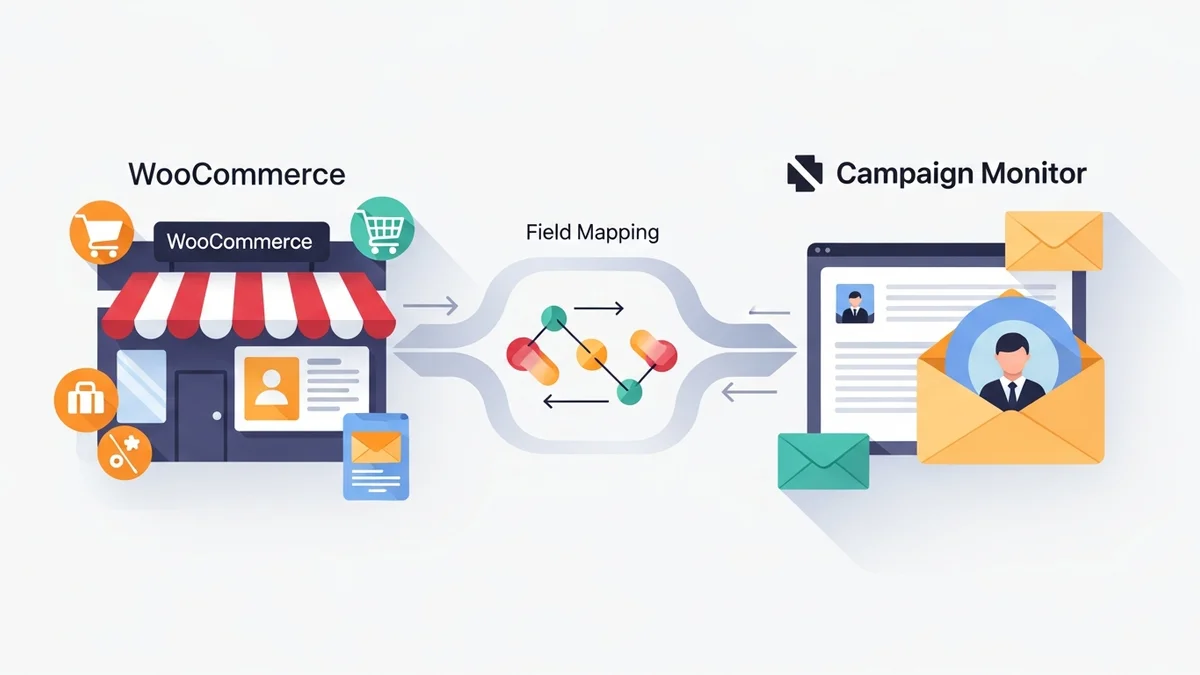
Effortless Field Mapping: The plugin provides an intuitive interface to map your chosen WooCommerce customer fields (like first name, last name, billing country, city, state, and phone number) directly to corresponding custom fields. It is essential that these custom fields are first created within your Campaign Monitor list before mapping them in the plugin. This ensures that every time a customer opts in at checkout or is bulk imported, their rich profile data flows seamlessly.
Bulk Import for Existing Customers: Don't leave your existing customer data behind. WooCommerce Campaign Monitor Pro allows you to bulk import your current WooCommerce customers, complete with their mapped data, into Campaign Monitor. You can filter by date range or order status, ensuring your historical data contributes to your rich customer profiles from day one.
GDPR Compliance by Design: With an opt-in checkbox at checkout that is unchecked by default, the plugin helps maintain GDPR compliance, ensuring you only collect data from customers who have explicitly consented. This builds trust and ensures your subscriber list is composed of genuinely engaged individuals.
By leveraging these features, marketing professionals can confidently build a robust foundation of customer data within Campaign Monitor, ready for advanced segmentation and highly targeted campaigns that drive results.
Beyond Core Fields: Custom Data Considerations
While the standard WooCommerce customer fields offer significant opportunities for personalisation, your business might collect other unique data points through custom checkout fields or customer registration processes. If these custom data points are relevant for your marketing efforts (e.g., "Industry Type" for a B2B store or "Preferred Product Category"), you can extend your personalisation capabilities even further.
To sync such data, you would first need to ensure these custom fields exist within your WooCommerce customer profiles. Then, you would absolutely need to create corresponding custom fields in Campaign Monitor before attempting to map them. The WooCommerce Campaign Monitor Pro plugin is built to facilitate mapping any standard or well-structured WooCommerce customer meta-data to your Campaign Monitor custom fields, provided they are set up correctly in both systems. This flexibility ensures your unique business insights can also power your email marketing strategy.
Related Articles
Continue your learning with these related resources:
- Mastering WooCommerce Campaign Monitor Pro: Your Ultimate Integration Guide for E-commerce Growth (Comprehensive Guide)
- How to Optimize WooCommerce Order Sync Timing for Campaign Monitor
- How to Set the Subscriber Name Format Sent from WooCommerce to Campaign Monitor
- How to Manually Sync a WooCommerce Order to Campaign Monitor from the Order Admin
- How to Choose the Right Campaign Monitor List for Your WooCommerce Store
- How to Bypass Campaign Monitor Double Opt-in for WooCommerce Checkout Subscribers
Conclusion
Moving beyond basic email collection to a strategy of rich customer profile data synchronisation is no longer a luxury—it's a necessity for any marketing professional aiming for impactful campaigns. By strategically mapping essential WooCommerce fields like names, geographical data, and contact numbers to Campaign Monitor (after ensuring your lists and custom fields are set up in Campaign Monitor), you unlock the full potential of advanced segmentation and hyper-personalisation. The WooCommerce Campaign Monitor Pro plugin streamlines this critical process, ensuring your customer profile data flows seamlessly and securely to Campaign Monitor, which then handles the email delivery, automations, and segmentation. Invest in enriching your customer profiles today, and watch your marketing campaigns transform from generic broadcasts into highly relevant, conversion-driving conversations.